What Is an API? How APIs Actually Work, Explained for Analysts
Written by Ahmed at Analyst Engineering, a Senior Technical Business Analyst with 10+ years in banking and payments delivery.
Key takeaways
- An API (Application Programming Interface) is a published contract that lets one program ask another program for data or an action, through a defined set of requests and responses.
- Every HTTP API call has the same anatomy: a method, a URL, headers, and an optional body going in; a status code, headers, and a body coming back.
- The user interface is only one consumer of an API. Mobile apps, partners, batch jobs, and other services call the same endpoints, which is why the business rules live behind the API and not in the screen.
- Conventions are not guarantees: Stripe updates objects with POST rather than PUT or PATCH and returns 200 rather than 201 when it creates one, so an analyst reads the documentation and sends the request instead of assuming REST rules.
- An analyst can send a first real API request in under a minute with curl against a public endpoint such as api.github.com, and that single habit changes how requirements, defects, and investigations get written.
An API (Application Programming Interface) is a published contract that lets one program ask another program for data or an action. The client sends a request with a method, a URL, headers, and sometimes a body; the server applies its rules and sends back a status code, headers, and a body. For an analyst, the API is where the business rules stop being slides and become observable behavior.
What an API is, in practice: every time a checkout page takes a card payment, the merchant’s server calls Stripe’s API. Every time you open a repository on GitHub, the page and the gh command line tool both read from the GitHub API. The screen is just one consumer. A mobile app, a partner bank, a nightly batch job, and a dozen internal services may all call the same endpoints, which is exactly why the logic lives behind the API and not in the user interface.
APIs for Analysts, part 1 of 8. This series takes you from “what is an API” to building proof of concept demos with chained, scripted requests. See the series overview, or jump to Part 2: your first API collection in Bruno and Postman. New to the vocabulary? Keep the API glossary open as you read.
I spent my first years as a business analyst in banking writing requirements about APIs I had never called. The day I sent my first request myself, against a payments sandbox, I found two of my own requirements were wrong in under ten minutes: a field I had specified as optional was rejected when absent, and a status I had documented as final was actually intermediate. Everything in this series comes from that shift. The broader technical path it belongs to is mapped in API Fundamentals for Analysts.
What is an API, in a sentence an analyst can use?
An API is the counter of a system. It publishes which requests it accepts, which fields each one needs, what it returns, and why it refuses. You do not need to know how the back office works to use a counter, and you do not need to read a service’s code to use its API.
The counter analogy holds up in the places that matter to analysts:
- The form is the request schema. Required fields, formats, maximum lengths.
- The rejection slip is the error response. A status code and a reason, ideally a specific one.
- The receipt is the response body. An identifier, a status, a timestamp.
- The ID check is authentication. Who you are, and what you are allowed to ask for.
Where the analogy breaks is scale: an API serves thousands of counters at once, some of them other machines that retry automatically when they get no answer. That is why things like idempotency and rate limits exist, and why they belong in requirements.
What actually happens when you send an API request?
Six things happen, in order, and each one can fail on its own. Knowing the sequence is what lets you read an error and say where it came from.
You (client)                                     The API
    |                                               |
 1  |-- DNS: where is api.github.com? ------------->|
 2  |== TLS handshake: open an encrypted channel ===|
 3  |-- HTTP request: GET /repos/usebruno/bruno --->|
    |                                          4  Gateway: auth, rate limit, routing
    |                                          5  Service: validate, apply rules,
    |                                               read/write data, maybe publish event
6 |<-- HTTP response: 200, headers, JSON body ----|- DNS resolution. The hostname becomes an IP address. A failure here looks like “could not resolve host” and has nothing to do with the API itself.
- TLS handshake. The client and server set up an encrypted HTTPS connection. Certificate errors live here, and in banking so does mutual TLS, where the client presents a certificate too.
- The request is sent. Method, path, headers, body.
- A gateway usually sees it first. It checks the credential, applies rate limits, and routes to the right service. A 401, 403, or 429 often never reaches the business logic.
- The service does the work. It validates the input, applies the business rules, reads and writes the database, and may publish an event to a queue or topic for other systems.
- The response comes back. A status code, headers, and a body.
The analyst’s takeaway: a 400 with a field name came from step 5, a 429 came from step 4, and a timeout could be anywhere. That distinction turns a vague defect (“the API is broken”) into a precise one.
What are the parts of an API request?
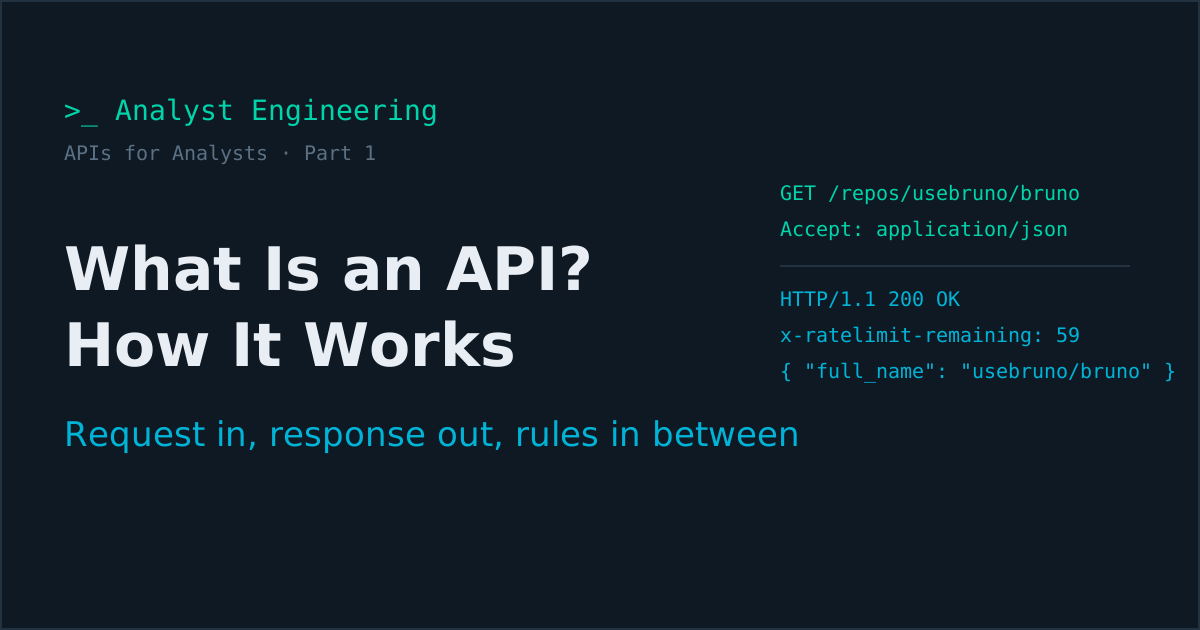
Here is a real request to the GitHub REST API, exactly as it travels over the wire:
GET /repos/usebruno/bruno HTTP/1.1
Host: api.github.com
Accept: application/vnd.github+json
X-GitHub-Api-Version: 2022-11-28
User-Agent: analyst-engineering-demo
Every HTTP API request is built from the same four parts.
| Part | In this example | What it does |
|---|---|---|
| Method | GET | The kind of operation: read, create, replace, update, delete |
| URL | https://api.github.com/repos/usebruno/bruno | The resource. usebruno and bruno are path parameters; filters go in query parameters such as ?state=open&per_page=5 |
| Headers | Accept, X-GitHub-Api-Version | Metadata: the format you want, the API version, your credential, the body’s content type |
| Body | none | The data you send, usually JSON, for methods such as POST, PUT, and PATCH |
What do the HTTP methods mean?
| Method | Conventional meaning | Safe (no change) | Idempotent (repeatable) |
|---|---|---|---|
GET | Read a resource or a list | Yes | Yes |
POST | Create a resource or trigger an action | No | No |
PUT | Replace a resource entirely | No | Yes |
PATCH | Update part of a resource | No | Not guaranteed |
DELETE | Remove a resource | No | Yes |
That table is the convention, and real APIs bend it. Stripe’s API updates existing objects with POST /v1/customers/{id} rather than PUT or PATCH, and when it creates an object it returns 200, not the 201 Created many teams expect. Neither is wrong; both are documented. The lesson for an analyst is to never write “the API will return 201” from convention alone. Read the documentation, then send the request and see.
“Idempotent” is the column that matters most in payments. A POST that creates a payment is not naturally repeatable: send it twice and you may move money twice. APIs like Stripe’s solve this with an Idempotency-Key header, and proving it works is its own discipline, covered in idempotency testing.
What comes back in an API response?
The response mirrors the request: a status line, headers, and a body.
HTTP/1.1 200 OK
Content-Type: application/json; charset=utf-8
X-RateLimit-Limit: 60
X-RateLimit-Remaining: 59
X-RateLimit-Reset: 1789480000

{
  "full_name": "usebruno/bruno",
  "private": false,
  "default_branch": "main",
  "license": { "spdx_id": "MIT" },
  "owner": { "login": "usebruno", "type": "Organization" }
}
The body above is trimmed to a few fields; the real one has dozens, including counts that change daily.
The status code tells you the outcome class: 2xx success, 4xx the client sent something wrong, 5xx the server failed. The difference between 200 OK and 202 Accepted alone can decide whether a payment is done or merely received, which is why HTTP status codes deserve an analyst’s full attention.
The headers carry operational facts. GitHub’s X-RateLimit-Remaining tells you how many calls you have left; unauthenticated requests get 60 per hour. Many APIs also return a request or trace identifier, such as Stripe’s Request-Id header, which is the single most useful thing to paste into a defect or a support ticket.
The body is the data, almost always JSON. If nested objects and arrays still slow you down, spend twenty minutes on JSON for analysts before going further.
How does an API know who you are?
Through a credential sent with each request, usually in a header. Public endpoints like the GitHub repository call above need none. Everything that touches real data does.
| Mechanism | What you send | Typical use |
|---|---|---|
| None | Nothing | Public data, with low rate limits |
| API key | x-api-key: abc123 or similar | Server-to-server calls, simple partner APIs |
| Bearer token | Authorization: Bearer eyJ... | OAuth 2.0 access tokens that expire, personal access tokens |
| Basic auth | Authorization: Basic base64(user:pass) | Legacy and internal APIs; Stripe also accepts the secret key this way |
| Mutual TLS | A client certificate during the handshake | Bank-to-bank and payment scheme connections |
Two words get confused constantly. Authentication is who you are; failing it returns 401 Unauthorized. Authorization is what you are allowed to do; failing it returns 403 Forbidden. And some APIs deliberately blur them: GitHub returns 404 Not Found for a private repository you cannot access, so the response does not confirm the repository exists. That is a security decision, and it is exactly the kind of behavior an analyst should capture in a requirement. Where each credential type should live, and where it must never live, is covered in API keys, PATs, and OAuth tokens.
What kind of API is it: REST, GraphQL, SOAP, webhooks, or events?
“API” covers several styles. You will meet all of them on an enterprise programme, often in the same end-to-end flow.
| Style | How it works | Where you meet it |
|---|---|---|
| REST over HTTP | Many URLs, one per resource, JSON bodies, HTTP methods | Stripe, the GitHub REST API, most internal microservices |
| GraphQL | One endpoint; the client sends a query naming the fields it wants | The GitHub GraphQL API, product frontends |
| SOAP | XML envelopes described by a WSDL file | Core banking, insurance, older enterprise integration |
| gRPC | Binary Protocol Buffers messages over HTTP/2 | High-volume internal service-to-service calls |
| Webhooks | The provider calls your URL when something happens | Stripe sends payment_intent.succeeded to your endpoint, signed with a Stripe-Signature header |
| Events and messaging | Services publish to a topic or queue; consumers react later | Kafka topics, often described with an AsyncAPI specification |
The first four are request and response: the caller waits for the answer. Webhooks and events are asynchronous: the answer arrives later, separately, and possibly more than once. That single difference changes how you write requirements, how you test, and how you investigate failures, which is why synchronous vs asynchronous is worth reading alongside this article.
Why does an analyst need to understand how APIs work?
Because almost everything an analyst specifies ends up expressed at the API.
- Every field on a form is a field in a request. Its format and length rules become validation, and validation failures become
400or422responses with error codes. - Every status on a screen is a field in a response. If the screen says “Completed” but the API says
ACSP(settlement in process, in ISO 20022 terms), the screen is making a promise the system has not kept yet. - Every business rule is enforced behind an endpoint. The UI may hide a button, but a partner calling the API directly will not see your UI. If the rule is not enforced in the API, it is not enforced.
- Every integration is a chain of calls. Create, then poll, then receive a webhook, then reconcile. The failure modes live between those calls, and they are what a sequence diagram should show.
Understanding the API is how you write requirements developers can build, and how you tell the difference between “the system is wrong” and “my requirement was wrong”. Writing the API side of a specification properly is covered in how to write API requirements, and documenting it for consumers in API Documentation from Scratch.
How do you send your first API request right now?
You need nothing installed on macOS, Linux, or Windows 10 and later: curl ships with all of them. Open a terminal and run:
curl -i https://api.github.com/repos/usebruno/bruno \
  -H "Accept: application/vnd.github+json"
On Windows PowerShell 5.1, type curl.exe instead of curl, because curl there is an alias for a different command. The -i flag prints the status line and headers above the body. Find X-RateLimit-Remaining, run the command again, and watch it drop by one. You have just observed a rate limit.
Now send a request with a body to an echo service, which returns exactly what it received:
curl -s https://httpbin.org/anything \
  -H "Content-Type: application/json" \
  -H "X-Analyst: hello" \
  -d '{"amount": "125.00", "currency": "EUR"}'
The response shows your method, your headers, and your JSON parsed back to you. That is the whole mental model, made visible: what you send is what the server sees.
Then do the thing that changes how you work. Open your team’s web application in a test environment, press F12, go to the Network tab, filter on Fetch/XHR, and click around. Every row is an API call the screen made. Click one and read its request and response. You are now looking at the real contract between the UI and the backend, not the one described in the specification. Right-click any of those rows and choose Copy as cURL, and you can replay that exact call yourself, which is where Part 2 picks up.
The APIs for Analysts series
- What is an API and how it works (you are here)
- Your first API collection in Bruno and Postman: requests, environments, variables, and secrets
- How to analyze an API: capability, data, behavior, limits, and change
- How to document an API: the sections consumers need, OpenAPI, and the error catalogue
- How to write API test cases: deriving a complete suite from one endpoint
- Chaining API requests with JavaScript: variables, scripts, polling, and a full Stripe flow
- API proof of concept and demos: POCs and demos that settle decisions
- The analyst who can send a request: why it is an edge, and a 30-day plan
Beyond the core series, the APIs for Analysts learning path organizes companion articles by level: the API glossary and troubleshooting failed requests for beginners, webhooks and GraphQL at intermediate level, and API design review, versioning and breaking changes, API security testing, and API tests in CI for advanced analysts.
The takeaway
An API is a contract between programs: a request made of a method, a URL, headers, and a body, and a response made of a status code, headers, and a body. Between the two sit DNS, TLS, a gateway, and a service, and each can fail in its own recognizable way. The screen is only one consumer, so the business rules, the validation, and the statuses all live behind the API, which is exactly why an analyst who understands it writes better requirements and better defects.
The fastest way to make this stick is to send a request today: the GitHub call above, the echo call, then Copy as cURL from your own application.
If you want the complete technical path laid out, start with API Fundamentals for Analysts, grab the free downloads, or book a 1:1 Tech BA Coaching Call and we will walk through the APIs on your own project together.
Ahmed is a Senior Technical Business Analyst with 10+ years in banking and payments. He builds practical guides and tools for analysts at The Tech BA Toolkit.
Tags: APIs, Business Analysis, REST, HTTP, Technical Analyst
About the author
Analyst Engineering is written by Ahmed, a Senior Technical Business Analyst with 10+ years of banking and payments delivery experience: ISO 20022 and SWIFT messaging, payments API integration, Kafka event validation, and production support. Every article comes from real delivery work, and each one is reviewed and updated as tools and standards change.
Related articles
- Your First API Collection in Bruno and Postman: Requests, Environments, and Variables Build a first API collection in Bruno and Postman: environments, variable precedence, inherited auth, secrets in .env or a vault, and cURL imports.
- HTTP Status Codes Explained: What 200, 202, and 409 Really Mean An analyst's guide to HTTP status codes: the 2xx, 4xx, and 5xx families, what each common code means, and why 202 Accepted vs 200 OK matters in payments.
- JSON for Analysts: Read the Payload Fluently How an analyst reads JSON: objects, arrays, nesting, and types. Understand API payloads, event messages, and config files without asking a developer.
- Synchronous vs Asynchronous: The Choice That Defines a System Synchronous and asynchronous communication differ in whether the caller waits, and that choice shapes coupling, latency, resilience, and customer experience.
Go deeper on this
Not ready to buy? The free downloads are a no-cost place to start, and every article here stays free.
Free account
Practice on the Labs, keep your progress
A free account, no password: an email link signs you in. It saves your steps and self-assessments on the Labs, shows your missions on a dashboard, unlocks the solutions, and, if you tick the box, sends you new missions and articles when they ship.
Your email is used to sign you in. Nothing else, unless you ask. Privacy.