MCP for Analysts: Connecting AI to Jira and Confluence, Read-Only First
Written by Ahmed at Analyst Engineering, a Senior Technical Business Analyst with 10+ years in banking and payments delivery. Last reviewed .
Key takeaways
- The Model Context Protocol (MCP) is an open standard that lets an AI assistant call tools in external systems through one common interface. For analysts it turns Jira and Confluence from things you copy out of into things the assistant can read directly.
- Connect read-only first and stay there for weeks. Every question worth asking of a backlog or a wiki is a read, and read-only access removes the entire class of failure where an assistant modifies a system of record by accident.
- The six questions that justify the setup: what changed on this epic, where does this requirement contradict itself across pages, which tickets have no acceptance criteria, what is the real history of this defect, which pages are stale, and what does this release actually contain.
- Scope the connection to one project key and one Confluence space, use a dedicated account rather than your own, and read the audit log once so you know what the connection actually did.
- The assistant reads faster than you and is wrong more confidently. Every claim it makes about a ticket must be checked against the ticket before it enters a document, and the ticket key makes that a five-second check.
The Model Context Protocol (MCP) is an open standard that lets an assistant call tools in systems like Jira and Confluence through one interface. Connect it read-only, scoped to one project key and one space, on a dedicated account. Then ask the six questions nobody has time to answer by hand: what changed, what contradicts, what has no acceptance criteria, what is the real defect history, what is stale, and what is actually in this release.
In part four the assistant read your code. Your code is one third of the truth. The other two thirds are in Jira, which holds what was asked for and what went wrong, and Confluence, which holds what everyone agreed and then half forgot.
This is part five of The AI Analyst, and it is the step where AI stops being a text tool on your laptop and starts being connected to your programme. That is a genuine threshold. Everything in part three, the guardrails applies from here on, and the single most important rule is the simplest: read-only, for longer than you think you need.
What is MCP, in one paragraph an analyst needs?
The Model Context Protocol is a standard for how an AI assistant talks to an external system. The system publishes an MCP server that advertises a set of tools, each with a name, a description, and a schema for its inputs, for example search_issues taking a JQL query, or get_page taking a page identifier. The assistant reads that list, decides which tool to call, calls it, reads the result, and continues.
The reason it matters is not technical elegance. It is that tool access becomes configuration instead of a project. Before MCP, connecting an assistant to Jira meant somebody building an integration. Now it means adding a server to a configuration file and authorizing it. Once connected, every conversation can reach your backlog, and the same server works across assistants.
If MCP turns up the other way round, as a requirement to expose your own API to agents, that is a specification job of its own, covered in specifying an MCP server.
What it does not change: permissions. An MCP server acts as the account that authorized it. The assistant sees exactly what that account can see, no more. This is the property that makes the whole thing governable, and it is why the account you use matters more than any other setup decision.
For the deeper treatment of MCP alongside retrieval and agent architectures, including how to evaluate them when they turn up as a requirement on your own project, that is AI at Work: MCP, RAG, and AI Agents.
How do you connect it?
Two routes, depending on where your Atlassian lives.
Atlassian Cloud. Atlassian runs the Atlassian Rovo MCP Server for Jira, Confluence, Jira Service Management, and a growing list of its other cloud apps. You add it to your assistant’s MCP configuration (most clients now install it from a marketplace or plugin listing, and in Claude Code you run /mcp to authenticate), complete an OAuth 2.1 authorization in the browser, and the connection inherits that account’s permissions. This is the route to prefer: no token to store, no token to leak, and revocation is a click in your Atlassian account settings. For headless use, your org admin can enable API token authentication, and that is where read-only gets enforceable rather than promised: a service account API key or a scoped token carrying only read scopes such as read:jira:agent-interface cannot write, whatever the assistant decides.
Jira Data Center or Server. No official remote server, so you run a community or self-hosted MCP server that authenticates with a personal access token (PAT) against your instance. Now you are storing a credential, which means it lives in a secret manager or an environment variable and never in a configuration file you might commit. API keys and tokens for analysts covers what a PAT actually grants, which is usually more than people assume.
Configuration looks roughly like this, in your assistant’s MCP settings:
{
  "mcpServers": {
    "atlassian": {
      "type": "http",
      "url": "https://mcp.atlassian.com/v2/mcp"
    }
  }
}
Current as of October 2026: use the Streamable HTTP endpoint above. The older https://mcp.atlassian.com/v1/sse endpoint used the HTTP+SSE transport, which the MCP specification has deprecated and which Atlassian stopped supporting after 30 June 2026. If a setup guide or a colleague’s config still shows /v1/sse, it is stale.
Then five setup decisions that matter more than the configuration:
- Dedicated account. Create
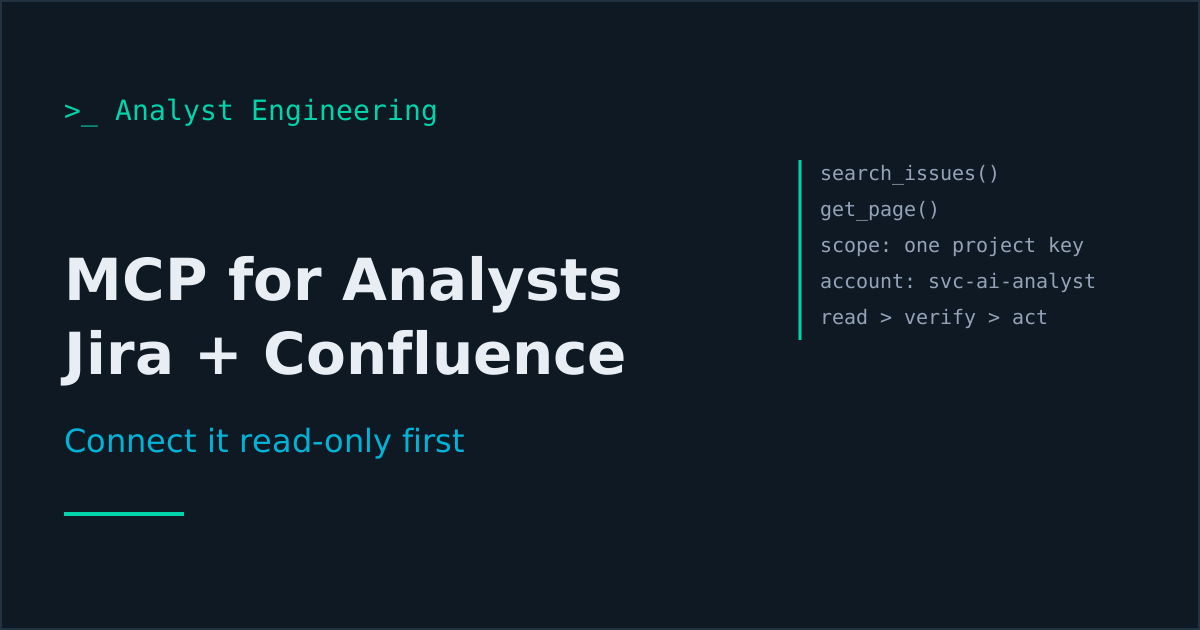
svc-ai-analystor use your organization’s pattern. Audit entries then say what the connection did, separately from what you did, and you can revoke it without touching your own access. - Scope the permissions. Grant that account browse permission on the one project key and read on the one Confluence space you need. Not the instance. Not every space. You can always add the second project.
- Read-only. No create, no edit, no transition, no comment. Check the permission scheme, do not assume. On Cloud there is now a second lock: your org admin can turn off the Write permission for the whole server under Atlassian Administration, Rovo, Rovo MCP server, Permissions, after which any write attempt fails with an access denied error. Ask for it; it is a two-minute change that makes “read-only” a property of the server rather than of your prompt.
- Test the boundary. Ask the assistant to fetch a ticket in a project it should not see. Confirm it fails. Five minutes, and it is the only way you actually know the scoping works.
- Read the audit log once. Look at what your first session produced in the Atlassian organization audit log, where tool calls are recorded under Rovo MCP user actions. It is reassuring, it is what you will be asked about, and it tells you the shape of the evidence you have.
Classification still applies. Jira tickets are full of customer names, account numbers, and screenshots of production screens, pasted there by people who were debugging. Connecting an assistant to that project means those reach the model. If your project holds identified customer data, that is a conversation with your data protection lead before you connect, not after.
The six questions that pay for the setup
The value of a connection is not that you can ask the assistant to fetch a ticket. You can fetch a ticket. The value is questions that are technically answerable by hand and therefore never actually answered, because they mean reading 140 tickets.
1. What actually changed on this epic?
Read every issue under epic PAY-1204, including comments and changelog.

Produce a timeline of substantive changes to scope or behavior:
date, what changed, who changed it, and the ticket key.

Exclude status transitions, assignee changes, and formatting edits.
Only changes that alter what gets built.
This is the epic archaeology every analyst does badly under time pressure. Scope changes arrive in comments, not in the description, and nobody updates the epic. Six weeks later the difference between what was agreed and what is being built is spread across forty comments. The timeline takes seconds and routinely surfaces one change nobody consciously approved.
2. Where does this requirement contradict itself?
Read Confluence pages [list, or the space] and the issues in epic
PAY-1204.

Find every contradiction: two statements that cannot both be true.
For each, quote both statements with their source page or ticket key
and the last updated date, and say which is more recent.

Do not resolve them. Do not guess which is correct. List them.
Contradiction-finding is the single best use of a connected assistant, because it is pure recall over a corpus larger than a human will read, and because the output is completely verifiable: two quotes and two keys, both checkable in seconds.
Every programme of any size has these. The cut-off time on the design page says 15:30 and the ticket says 16:00. The specification says refunds are irreversible and the operations runbook describes reversing one. Finding them before build is worth more than any document you will write that month.
3. Which tickets are not actually ready?
For every open issue in project PAY assigned to the next two sprints:

Flag any that have no acceptance criteria, acceptance criteria that
are not testable (no observable outcome), no linked requirement or
parent epic, or a description under 40 words.

Output a table: key, summary, what is missing. Sort by sprint.
You know this list is bad. You have never had the two hours to prove it. Now it is a table you can take to refinement, which converts a vague complaint about quality into a specific list of eleven tickets. That is a very different meeting. Refinement that actually refines covers what to do with the list once you have it, and why acceptance criteria fail covers what testable actually means.
4. What is the real history of this defect?
Search project PAY for defects related to duplicate refunds, in any
wording, over the last 18 months.

For each: key, date, described symptom, stated root cause if any,
and the fix.

Then group them: which of these are plausibly the same underlying
cause described differently? Quote the evidence for each grouping.
Defect taxonomies are terrible everywhere, because each one is logged by a different person in a different hurry. The same root cause appears as “duplicate refund,” “customer charged twice,” “reconciliation break,” and “PSP mismatch.” No dashboard groups them because no field connects them. An assistant reading the text finds the pattern, and the pattern is usually the argument for the remediation you have been failing to get funded. Defect triage for analysts is the process side of this.
5. Which pages are lying?
List every page in the PAY Confluence space with: title, last updated
date, last updater.

Flag pages not updated in over 9 months that describe system behavior
(not decisions or meeting notes).

For each flagged page, read it and note anything that conflicts with
[the current API contract / the release notes since that date].
Stale wiki pages are worse than missing ones, because people trust them. A quarterly run of this is fifteen minutes and it is the most valuable housekeeping an analyst can do for a team’s collective accuracy.
6. What is actually in this release?
List all issues with fixVersion = 2026.10 in project PAY.

For each, in business terms: what behavior changes, what a user or
operations team would notice, and what downstream systems are
mentioned.

Then flag: anything with no test evidence linked, anything that
changes an API response or event payload, anything touching the
reconciliation or settlement path.

Cite the ticket key for every claim.
That is your release note draft, your regression scope, and your risk list, produced before the release meeting rather than during it. Combine it with the pull request reading from part four and you walk into the go/no-go call with more of the picture than anyone else in the room.
How do you verify what it tells you?
The same way as always, and it is easier here than anywhere else in this series, because every claim comes with a key.
Require the key. Every statement about a ticket must cite PAY-1234. Every statement about a page must cite the page title and last updated date. Then spot-check three of them per artifact. If all three hold, the flow is sound. If one does not, the whole output goes back.
The failure mode to watch for is the assistant summarising a ticket in a way that is directionally right and specifically wrong. A comment saying “we could do it that way but decided not to” becomes “the team decided to do it that way” in a summary, because summarisation compresses negation badly. Anything that becomes a decision in your documentation gets read at source. Anything that is just a pointer can be spot-checked.
MCP or the REST API?
Both, for different jobs, and confusing them wastes time.
| Use MCP when | Use the REST API when |
|---|---|
| The question is different every time | You ask the same question weekly |
| You are exploring and following threads | You need an artifact on a schedule |
| The output is an answer you act on | The output is a file, a report, a bulk update |
| You want to ask a follow-up | You want it to run at 07:00 without you |
The moment you notice you have asked the same question three Fridays running, that question should become a script. Automating Jira and Confluence with the REST API and a PAT has the working code, and automating the analyst workflow covers how to decide what to script first.
The distinction in one line: MCP answers questions, scripts produce artifacts. Part eleven of this series, reports and dashboards, is where the artifacts live.
When should you move to write access?
Not yet. Spend a few weeks reading.
There are two honest reasons to wait. The first is that you need to learn how often the assistant is wrong about your specific data, and you cannot learn that while it is also changing things. The second is that most of the value is in reading. Almost every question above is a read, and the list of things an analyst genuinely wants written automatically is shorter than it feels on the day you set this up.
When you are ready, part six covers the write side properly: per-action approval, the dedicated account, what to automate and what never to, and how to keep a ticket that was created by a machine from becoming a ticket nobody owns.
The takeaway
MCP connects an assistant to Jira and Confluence through one standard interface, acting as the account that authorized it. Connect read-only, scoped to one project key and one space, on a dedicated service account, and test the boundary before you trust it.
Then use it for the six questions nobody has time for by hand: what changed on this epic, what contradicts across pages and tickets, which tickets are not ready, what the real defect history is, which pages are stale, and what this release actually contains. Every claim comes with a key, so verification costs seconds, and the findings are the kind that change delivery decisions rather than tidying documents.
Next: part six, where the connection gets write access without losing control. The full path is on The AI Analyst. If the tools themselves are the gap rather than the connection, start with Jira for Business Analysts and Confluence for Business Analysts.
Ahmed is a Senior Technical Business Analyst with 10+ years in banking and payments. He builds practical guides and tools for analysts at The Tech BA Toolkit.
Tags: Business Analysis, Artificial Intelligence, Jira, Confluence, Automation
About the author
Analyst Engineering is written by Ahmed, a Senior Technical Business Analyst with 10+ years of banking and payments delivery experience: ISO 20022 and SWIFT messaging, payments API integration, Kafka event validation, and production support. Every article comes from real delivery work, and each one is reviewed and updated as tools and standards change.
Related articles
- Letting AI Write to Jira and Confluence Without Losing Control The write side of an AI connection: what to automate, what never to, the approval pattern, the dedicated account, and keeping generated tickets human owned.
- AI Guardrails for Analysts: What Never Goes Into a Prompt The rules of engagement for AI in a regulated delivery team: what data never leaves, how to mask it, tool tiers by blast radius, and the audit trail you keep.
- Automating Jira and Confluence with the REST API and a PAT Use a personal access token and the Jira and Confluence REST APIs to generate traceability matrices and publish specs, with working Python scripts.
- AI Agents for Analysts: When an Agent Beats a Prompt When an AI agent beats a single prompt for analyst work, what tools it needs, where the guardrails go, and the three agent flows worth building first.
Go deeper on this
Not ready to buy? The free downloads are a no-cost place to start, and every article here stays free.
Free account
Practice on the Labs, keep your progress
A free account, no password: an email link signs you in. It saves your steps and self-assessments on the Labs, shows your missions on a dashboard, unlocks the solutions, and, if you tick the box, sends you new missions and articles when they ship.
Your email is used to sign you in. Nothing else, unless you ask. Privacy.