AI Agents for Analysts: When an Agent Beats a Prompt
Written by Ahmed at Analyst Engineering, a Senior Technical Business Analyst with 10+ years in banking and payments delivery. Last reviewed .
Key takeaways
- An agent beats a prompt only when the task needs multiple steps whose later steps depend on what earlier steps returned. If you can supply all the context up front, use a prompt.
- An agent is a language model plus tools plus a loop. The tools are the whole design: what an agent can read and write is the entire scope of what it can do right and wrong.
- Give agents read-only access by default. Query tools, log search, and file reads are safe; anything that writes to a ticket, a database, or a production system needs an explicit human approval step.
- The three analyst agent flows worth building first are incident triage over logs, repository and spec archaeology, and a coverage sweep across requirements, tests, and code.
- An agent's output is a lead, not a finding. It tells you where to look; you confirm against the system before it goes in a document, a ticket, or an incident channel.
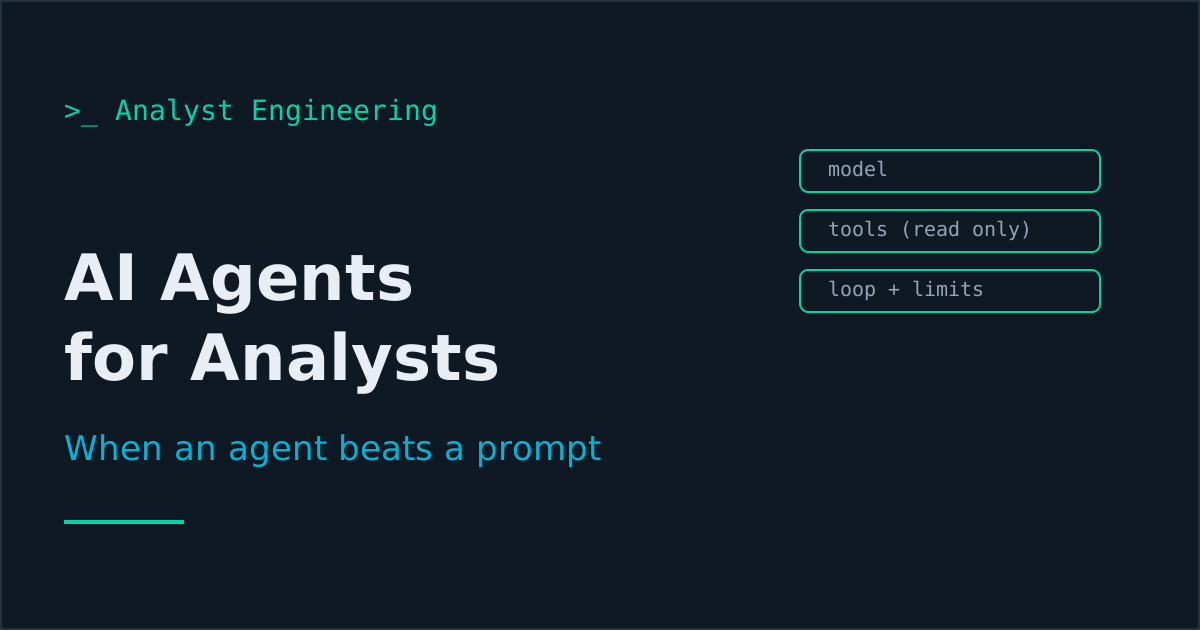
An agent beats a single prompt only when the task requires multiple steps whose later steps depend on what earlier steps returned. An agent is a model plus tools plus a loop, the tools define the entire blast radius, and read-only is the default. Its output is a lead, not a finding.
An AI agent is a language model given tools and a loop: it chooses a tool, reads the result, and chooses again until the task is done or it gives up. For analyst work the decision rule is narrow. Use a single grounded prompt when you can supply all the necessary context up front, which covers most drafting, review, and transformation work. Use an agent when the investigation path is unknown in advance, because step two depends on what step one found. That is a smaller set of tasks than the current enthusiasm suggests, and three of them are genuinely worth building: incident triage over logs, repository and specification archaeology, and a coverage sweep across requirements, tests, and code.
I am deliberately unexcited about the category in general and specific about where it pays. An agent that can query your test database and search your logs will shorten a two-hour investigation to fifteen minutes. An agent pointed at a vague instruction with write access to your ticket system will generate confident nonsense at scale and cost you a week of cleanup. The difference is entirely in the tool design, which is why this article is mostly about tools rather than about models. If you have not yet got the single-prompt flows working, start with the AI-augmented analyst workflow and prompt patterns for requirements work first; agents are the layer above those, not a replacement for them.
When does an agent actually beat a prompt?
One test: does any step of the task need information you do not have until a previous step runs?
Consider two versions of the same investigation. Version one: “here is the log bundle for payment reference X, produce a timeline.” You already pulled the logs, so all the context is in hand, and a single grounded prompt does this better than an agent because there is nothing to discover. Version two: “payment reference X was reported as stuck, find out why.” Now the path is unknown. You need the current status from the database, and which status it is determines whether you next search the screening service logs, the clearing gateway responses, or the repair queue. Each step’s target depends on the previous step’s answer, and that chain is what an agent is for.
The corollary is worth stating because it saves money and confusion: anything you do the same way every time should be a script, not an agent. A daily environment health check has a fixed sequence and a deterministic answer, so it belongs in the ranked list in automating the analyst workflow. An agent given that task will usually do it correctly and occasionally do it differently, and “occasionally different” is a terrible property for a check you rely on. Determinism is a feature. Do not trade it away for flexibility you do not need.
So: fixed path and known inputs, write a script. Known inputs, judgment-shaped output, use a grounded prompt. Unknown path, use an agent.
What is an agent made of?
Three parts, and only one of them is interesting.
The model decides what to do next. Assume it is capable and that this is not your design problem.
The loop runs until the task completes, a limit is hit, or the agent stops. Your design problem here is the limits: a maximum number of steps and a maximum time, so a confused agent stops rather than circling.
The tools are the entire design. A tool is a function the agent can call with a described purpose and a defined input and output. What the tools can reach is exactly the set of things the agent can do correctly and incorrectly, so every question about agent safety reduces to a question about tool scope.
The standard way to expose tools to an assistant now is MCP, the Model Context Protocol, an open standard for connecting models to external tools and data through a common interface. The practical consequence for an analyst is that wiring up a query tool or a log search tool is configuration rather than a bespoke integration, and the tools you connect once are reusable across tasks. That lowers the cost of the useful flows enough that they are worth building, which was not true a couple of years ago. Current as of October 2026, you rarely build the loop yourself either: Claude Code, Copilot’s agent mode, Cursor, and the Claude and ChatGPT desktop apps all run it, so your design work is the tool list, the permission settings that decide which calls need your approval, and the step limits. One caution when reading a tool list: MCP tools can carry hints such as readOnlyHint, but the specification itself says to treat those annotations as untrusted unless the server is, so enforce read-only with the credential, not with the label. The coding-tool side of this, permission modes, hooks, and worktrees, is in agentic coding for analysts. The related packaging question, how to give a model your method and reference material rather than just your tools, is covered in Claude Skills for analysts.
What tools should an analyst agent have?
Start read-only. These four cover almost all analyst investigation:
| Tool | Scope | Why it is safe |
|---|---|---|
| Query | Specific tables in a non-production database, read-only credentials | Cannot change state; worst case is a slow query |
| Log search | A log index, with a result cap | Read-only; cap prevents runaway retrieval |
| File read | Your notes, specs, and contracts directory | Your own documents, no side effects |
| HTTP client | Allowlisted non-production endpoints, GET only | Cannot mutate; cannot reach production |
Four scoping rules make these hold up.
Least privilege, explicitly. Read-only credentials, named tables, allowlisted hosts. Not “the database”, but “these six tables in the test schema”.
No writes without human approval. An agent may draft a ticket comment; a human posts it. An agent may propose an update; a human applies it. The approval step is not bureaucracy, it is the thing that keeps an agent’s mistake recoverable.
Log every tool call. You need to see the exact queries and searches the agent ran, both to verify its conclusion and to explain what happened if it did something odd. An unlogged agent is unauditable, and in a regulated environment unauditable means unusable.
Mask the data. Synthetic or masked data in non-production environments, and no real customer names, account numbers, or transaction references in prompts. The same rule as every other AI flow, and it applies harder here because an agent pulls data you did not individually choose to send.
Flow 1: Incident triage over logs
The highest-value agent flow for anyone who does production support. Given an identifier and a symptom, the agent queries the current state, searches the logs of the services implicated by that state, follows the correlation identifier across services, and returns a timeline with the evidence quoted.
What makes this a genuine agent task is the branching. A payment in SCREENED with no downstream record sends you to the routing service. The same payment in REJECTED sends you to the reason code and the validation service. In REPAIR it sends you to the operator audit trail. A human does this branching in about two hours across four tools; an agent with query and log search does it in a few minutes.
The hard rule on the output: it is a lead, not a finding. I take the agent’s timeline, pick the two or three claims the conclusion rests on, and verify those myself against the logs before anything goes in an incident channel. An agent will occasionally build a coherent narrative on a misread timestamp, and a coherent wrong narrative is more dangerous in an incident than no narrative at all. Which is why the unaided skill stays mandatory: reading production logs and reading logs during a major incident are how you catch it. The full support skill set is in The Technical Skills Guide for BAs.
Flow 2: Repository and specification archaeology
The task: “where is the rule that rejects payments over the daily limit actually implemented, and does it match the spec?”
This is a search problem with an unknown path, which is the signature of an agent task. The agent searches the repository for candidate terms, reads the files that look relevant, follows the function calls, finds the actual implemented rule, then reads the specification and reports the difference. You cannot supply the relevant files up front because finding them is the task.
The payback is high because this question arrives constantly and the manual version requires either a developer’s time or an hour of your own grepping. The output you want is specific: the file and line, the rule as implemented, the rule as specified, and the delta. That delta is frequently the most valuable single artifact in a fit-gap exercise, and it is the raw material for fit-gap analysis done on evidence rather than on interview.
Two cautions. The agent tells you what one code path does, not whether another path overrides it, so treat the answer as the beginning of the check. And you still need to be able to read the code it shows you: git for analysts is the entry point, and the requirement-to-behavior translation skill is what From Vague BR to Functional Requirements is built around.
Flow 3: The coverage sweep
The task: across the requirements document, the test case export, and the code, find what is specified but untested, tested but unspecified, and implemented but absent from both.
A single prompt can compare two artifacts if you paste both in. A three-way sweep across a real repository is an agent task, because the agent has to read the requirements, search the test files for references, then search the code for the implemented behavior, following names it discovers as it goes.
The output is three lists, and all three are useful in different ways. Specified-but-untested is your immediate test gap. Tested-but-unspecified is often undocumented behavior somebody relies on. Implemented-but-absent-from-both is the most interesting category, because that is where the surprises live: the retry that nobody wrote down, the special case added during an incident two years ago.
Same discipline as ever: the lists are leads. A name-based match is a heuristic, so verify before you report a coverage number to anyone. This is the mechanized version of maintaining a requirements traceability matrix, and the matrix remains your artifact and your accountability. The template pack for those artifacts is Real-World BA Deliverables.
Where do the guardrails go?
Five, in order of how much they matter.
- No production writes, ever. Not behind approval, not with a flag. An analyst agent does not hold credentials that can change production state.
- Human approval for every write anywhere. Tickets, documents, test data in shared environments. The agent proposes, a person commits.
- Step and time limits on the loop. A confused agent should stop, not keep spending.
- Full tool-call logging. Every query, every search, retained. This is what makes the flow auditable.
- Verification before anything is asserted. No agent output becomes a statement of fact in a document, ticket, or incident channel until a human has checked the claims it rests on.
Guardrail five is the one under the most pressure, because agent output is fluent and checking is boring. It is also the one that determines whether this technology makes you faster or makes you the analyst who put a fabricated root cause in an incident report. Fluency is not accuracy, and an unverified agent conclusion carries your name once you forward it.
Where retrieval fits
An agent that searches your documentation is running a retrieval system inside a tool call, and it inherits every failure mode of one: passages that were never retrieved, chunks split mid-table, and permissions enforced too late. If one of your agent’s tools reads a corpus, specify and measure that tool separately using the model in RAG for analysts.
The takeaway
Use an agent when the investigation path is unknown because later steps depend on earlier results, use a grounded prompt when you already have the context, and use a deterministic script when the sequence never changes. An agent is a model plus tools plus a loop, and the tools are the whole design: read-only by default, least privilege explicitly, human approval for every write, every call logged.
For the step-by-step version of that tool design against real systems, The AI Analyst covers connecting an assistant to Jira and Confluence read-only, the guardrails that scope it, and what safe write access looks like.
Build the incident triage flow first, with query and log search over a non-production environment. Treat everything it produces as a lead you verify. The full architecture behind these flows, how agents plan and call tools, how retrieval grounds them, and how MCP connects them to your systems, is in AI at Work: MCP, RAG, and AI Agents. The dedicated guide to building and running these is AI Agents at Work for Analysts, and the prompt and pattern layer they sit on top of is in The Tech BA Prompt Toolkit. Or browse everything at The Tech BA Toolkit.
Ahmed is a Senior Technical Business Analyst with 10+ years in banking and payments. He builds practical guides and tools for analysts at The Tech BA Toolkit.
Tags: Business Analysis, Artificial Intelligence, Automation, Production Support, Software Testing
About the author
Analyst Engineering is written by Ahmed, a Senior Technical Business Analyst with 10+ years of banking and payments delivery experience: ISO 20022 and SWIFT messaging, payments API integration, Kafka event validation, and production support. Every article comes from real delivery work, and each one is reviewed and updated as tools and standards change.
Related articles
- MCP for Analysts: Connecting AI to Jira and Confluence, Read-Only First What the Model Context Protocol is, how to connect an assistant to Jira and Confluence safely, and the six read-only questions that pay for the setup in a week.
- AI Guardrails for Analysts: What Never Goes Into a Prompt The rules of engagement for AI in a regulated delivery team: what data never leaves, how to mask it, tool tiers by blast radius, and the audit trail you keep.
- The AI-Augmented Analyst Workflow: Five Flows That Actually Ship The five AI flows that measurably speed up analyst delivery: transcript to draft spec, negative test matrix, test data, log triage, and contract diffs.
- Claude Skills for Analysts: Turning Repeatable Analysis Into Tooling A Claude Skill packages your method, references, and scripts into a folder the model loads on demand. Build one that writes pacs.008 test cases.
Go deeper on this
Not ready to buy? The free downloads are a no-cost place to start, and every article here stays free.
Free account
Practice on the Labs, keep your progress
A free account, no password: an email link signs you in. It saves your steps and self-assessments on the Labs, shows your missions on a dashboard, unlocks the solutions, and, if you tick the box, sends you new missions and articles when they ship.
Your email is used to sign you in. Nothing else, unless you ask. Privacy.