Letting AI Write to Jira and Confluence Without Losing Control
Written by Ahmed at Analyst Engineering, a Senior Technical Business Analyst with 10+ years in banking and payments delivery. Last reviewed .
Key takeaways
- Write access is not the next step after read access, it is a different decision. Reading a wrong answer costs you a minute; writing a wrong answer to a system of record costs the team a week of confusion and leaves an artifact nobody owns.
- Use the draft-approve-write pattern: the assistant proposes the exact payload, you read it, you approve each action, and only then does it write. Never let a single instruction produce an unreviewed batch of tickets.
- Everything written by a connected assistant gets a dedicated service account and a label such as ai-drafted, so you can find, filter, and if necessary reverse the whole set with one query.
- Automate the writes that are mechanical and reversible: breaking an approved epic into child tickets from a template, adding structured acceptance criteria, updating a page from a decision log, linking tests to requirements. Never automate priority, sign-off, closure, or anything a customer sees.
- A generated ticket with no human owner is worse than no ticket. Assign every created issue to a person in the same action that creates it, or you are just moving the backlog problem into a place where it looks official.
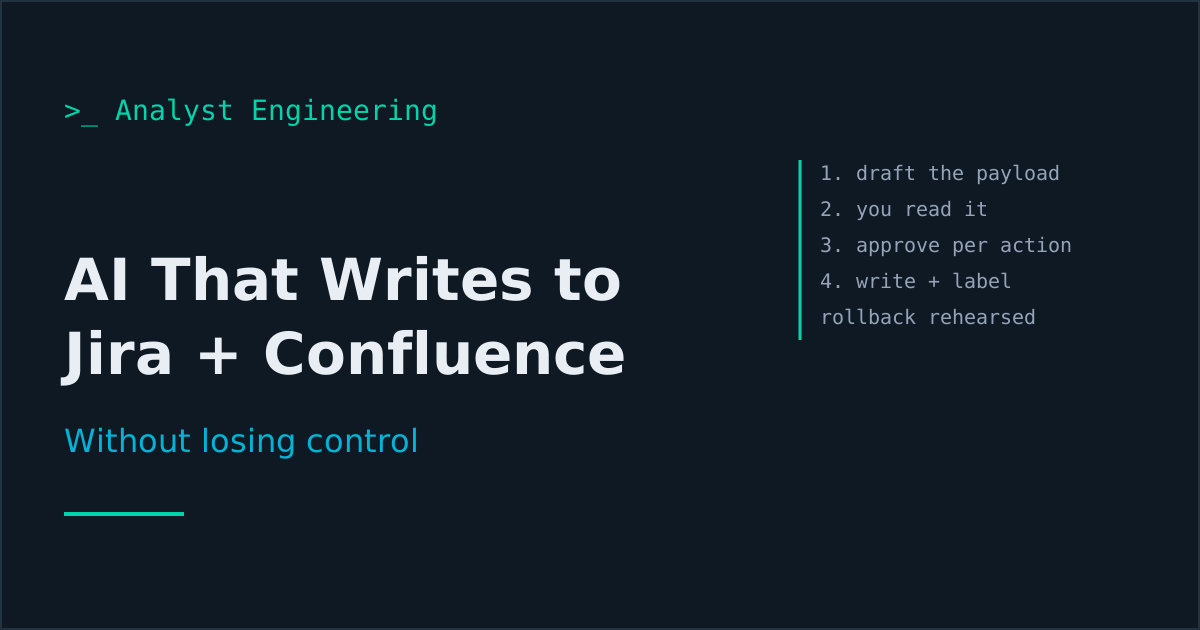
Write access needs a different decision than read access. Use draft-approve-write: the assistant shows you the literal payload, you approve each action, then it writes. Use a dedicated service account and an ai-drafted label so the whole set is findable and reversible. Automate what is mechanical and reversible, never what is a decision.
There is a moment, a few weeks after you connect an assistant to Jira, when you think: it can already read the epic, write the acceptance criteria, and see the template. Why am I copying and pasting?
You are right, and this is where it goes wrong for most teams. This is part six of The AI Analyst, and it is the step where the failure mode changes character. In part five a wrong answer cost you a minute of reading. Here a wrong answer becomes forty-one tickets in a system of record, each looking official, each owned by nobody, and each one a thing a developer will now ask you about.
Why is write access a different decision?
Three properties change.
Persistence. A read is a conversation. A write is an artifact that outlives the conversation, gets indexed, gets linked, gets reported on, and gets found by somebody in March who has no idea where it came from.
Scale. A wrong read affects one answer. One instruction with write access affects everything it touched. The characteristic AI-in-Jira incident is not one bad ticket, it is thirty-one bad tickets created in nine seconds, and the cleanup is manual.
Attribution. A written artifact looks authored. A ticket in your backlog carries the implicit claim that a human decided it should exist. When that claim is false, the whole backlog gets slightly less trustworthy, and trust in a backlog is the thing that makes refinement work at all.
None of that means do not do it. It means the controls are different, and the controls are cheap.
The draft-approve-write pattern
One pattern covers every safe write. The assistant never writes as a side effect of answering. It writes as a separate, approved step.
Step 1, draft. Ask for the exact payload, not a description of it:
Read epic PAY-1204 and the linked Confluence design page.

Draft the child stories needed to deliver it, using our template.
For each, output exactly what you would send to Jira:

  project: PAY
  issueType: Story
  summary: ...
  description: (in our template sections)
  acceptanceCriteria: (Given/When/Then, testable)
  labels: [ai-drafted, pay-1204]
  parent: PAY-1204
  assignee: (leave UNASSIGNED, I will set it)

Do not create anything. Output the payloads only.

Rules:
- Use only behavior described in the epic or the design page.
- Anything you would have to assume goes in an ASSUMPTIONS list
  under the story, not into the description.
- If the epic does not support a story you think is needed, put it
  in a SUGGESTED section, clearly separate.
Step 2, approve. Read the payloads. Not a summary of them, the literal text that will be sent. This is where you cut the three stories that duplicate existing tickets, fix the two acceptance criteria that are not observable, and notice the one that invented a status value.
Step 3, write. Approve the batch, action by action, and let it create.
The two properties that make this safe are that you saw the literal payload, and that approval is per action rather than a session-wide yes. Most assistant clients support per-tool-call approval. Turn it on and leave it on. The day it becomes annoying is the day you are creating too many tickets at once.
Two current details, as of October 2026. If you connect through the Atlassian Rovo MCP Server, write access is also an organization setting: an admin enables or blocks the Write permission for the whole server in Atlassian Administration, so moving from part five to part six is a change request, which is how it should be. And Jira’s own Rovo features can now suggest child work items for an epic, with each suggestion accepted or declined individually. That built-in flow already has draft-approve-write shape; the rules in this article (label, owner, source line, observable criteria) still apply to whatever you accept.
What should you actually automate?
The test I use: would this be reasonable work to hand a capable new joiner unsupervised in their first week? If yes, it is a candidate. If it involves a decision or a signature, it is not.
| Automate | Never automate |
|---|---|
| Breaking an approved epic into child tickets from a template | Creating the epic, or deciding scope |
| Adding structured acceptance criteria to stories you reviewed | Approving that a story is ready |
| Creating test issues linked to requirements | Marking a test passed |
| Applying labels, components, fix versions in bulk | Setting priority or severity |
| Adding a link between a defect and its requirement | Closing a defect |
| Regenerating a derived Confluence section from a source of truth | Editing a page that contains an approval |
| Posting a structured comment with an analysis summary | Commenting in a customer-visible channel |
| Creating the follow-up actions from a workshop, unassigned | Transitioning anything through a workflow |
Two lines in that table deserve an explanation.
Priority is never automated because priority is the compressed output of a negotiation between people with different budgets. A model can tell you what the ticket says about urgency. It cannot know that the head of operations has escalated twice this month, which is the actual input. MoSCoW prioritization is a human process for a reason.
Workflow transitions are never automated because in most organizations a transition is a control. Moving an issue to Done is an assertion that something was verified. A machine asserting that is a finding waiting to happen in your next audit, and it costs you nothing to keep the human click.
The account, the label, and the rollback
Three mechanics make a bad run recoverable in ten minutes instead of a day.
A dedicated service account. All writes go through svc-ai-analyst or your organization’s equivalent. Audit entries are then attributable, you can revoke without touching your own access, and you can answer “who created these” with something other than your own name against forty tickets you did not individually write.
A mandatory label. Everything created carries ai-drafted, plus a label tying it to the source (the epic key, the workshop date). That gives you one query:
project = PAY AND labels = "ai-drafted" AND created >= -1dwhich is your review list, your report, and, if the run went wrong, your bulk-delete selection. Make the label non-negotiable in your standing instructions, and check it is present in the draft before you approve.
A rollback you have actually rehearsed. Know how to bulk-delete a set of issues, and have done it once on a test project. Confluence is easier, because page version history means every update is reversible by restoring a version, which is the main reason updating pages is a safer starting point than creating tickets.
Everything in part three, the guardrails applies here at full strength, particularly the rule that no generated statement of fact enters an artifact unverified. A ticket description is an artifact.
What does a good generated ticket look like?
The difference between generated tickets that help and generated tickets that pollute the backlog is almost entirely in the constraints you set. Four make most of the difference.
Every ticket has a named human assignee before it is created. An unowned generated ticket is worse than no ticket: it looks like work somebody is doing. If you cannot name an owner, do not create it yet.
Every ticket traces to a source. A line at the bottom: Source: PAY-1204, design page "Refund flow v3" (updated 2026-09-02). That is your provenance, it takes the model no effort, and it is what makes the ticket answerable six months later.
Assumptions are separated, not merged. Anything the model had to assume goes in a visible ASSUMPTIONS block, not smoothed into the description. Those assumptions are your refinement agenda, exactly as in part one.
Acceptance criteria are observable. The constraint that gets you there: every criterion must name something a tester can see, a field value, a status, a response code, a log entry, or a message. “The refund is processed correctly” fails. “The payment status becomes RETURNED and a pacs.004 is emitted within 2 minutes” passes. How to write API test cases and negative test design are the reference for what observable actually means.
The house templates worth grounding these on, so the output matches what your team already reads, are in Real-World BA Deliverables.
Confluence: update derived pages, not authored ones
Confluence is where this gets genuinely useful, because a lot of wiki content is derived rather than authored. It is a restatement of something that is true elsewhere, and it goes stale precisely because restating it by hand is boring.
Good candidates for a generated section:
- The release contents page, derived from the fix version in Jira.
- The decision log, derived from the decisions recorded in tickets and meeting notes.
- The glossary and the data dictionary, derived from the schema and the contracts. This is the same artifact as your context pack, and now it maintains itself.
- The open questions register, derived from tickets flagged as blocked or with unanswered comments.
- The traceability matrix, derived from requirement-to-test links. See the requirements traceability matrix for what it needs to contain.
The pattern that keeps this safe is a marked generated region:
<!-- GENERATED SECTION: release contents. Source: JQL fixVersion = 2026.10.
     Last generated 2026-09-16 by svc-ai-analyst. Do not edit by hand. -->
...
<!-- END GENERATED SECTION -->
The assistant replaces only what is between the markers. Everything a human wrote stays untouched. The header tells the next reader where it came from and when, which answers the only two questions anyone has about a wiki page.
What never gets touched automatically: anything containing an approval, a signature, a sign-off, a policy statement, or a control description. Those pages are evidence, and evidence does not get regenerated.
When should this be a script instead?
Often. The honest answer is that a lot of what people want to automate with an assistant is deterministic, and deterministic work belongs in code.
If the transformation is fixed, for example “every Monday, create a test issue for each requirement added last week, linked to its parent,” then a script against the Jira REST API is better in every way: it produces the same result every time, it runs without you, it can be reviewed, and it costs nothing per run. Automating Jira and Confluence with the REST API and a PAT has the working code.
Use the assistant where the input is unstructured and judgment-shaped: turning a messy design page into stories, deriving acceptance criteria from prose, reconciling a transcript against a backlog. Use a script where the input and the rule are both fixed. Automating the analyst workflow covers how to tell them apart, and the short version is: if you could write the rule down completely, write the rule down completely.
What goes wrong, and what it looks like
Four patterns, all of which I have watched or caused.
The forty-ticket flood. One instruction, no per-action approval, a backlog full of near-duplicate stories. Fix: per-action approval, and a hard cap in your instructions (“create no more than 8 issues per batch”).
The plausible invented field. A story specifies refundStatus: PARTIALLY_SETTLED, a developer implements it, and the field has never existed. Fix: the UNDEFINED IN SOURCE rule from part one, enforced in the draft step where you can still see it.
The orphan backlog. Thirty generated tickets, all unassigned, all technically valid, none owned. Six weeks later nobody will delete them because nobody is sure they are not needed. Fix: no assignee, no creation.
The silent overwrite. A page regenerated wholesale, taking out a paragraph a stakeholder added last week. Fix: marked generated regions, and a habit of reading the Confluence diff after any update.
None of these are AI problems exactly. They are the same problems bulk-edit tools have always had, arriving faster and with better grammar.
The takeaway
Let AI write to Jira and Confluence, but make the write a separate approved step: draft the literal payload, review it, approve per action, then create. Route everything through a dedicated service account, label it ai-drafted so the whole set is one query away, and rehearse the rollback before you need it.
Automate what is mechanical and reversible: child tickets from an approved epic, structured acceptance criteria, test links, derived Confluence sections. Never automate priority, transitions, closure, approval, or anything customer-facing. And never create a ticket without a named human owner, because an unowned generated ticket is a liability wearing the costume of progress.
Next: part seven, where the source material for all of this stops being something you type and starts being the meeting you just sat in. The full path is on The AI Analyst. For the two tools underneath this part, see Jira for Business Analysts and Confluence for Business Analysts.
Ahmed is a Senior Technical Business Analyst with 10+ years in banking and payments. He builds practical guides and tools for analysts at The Tech BA Toolkit.
Tags: Business Analysis, Artificial Intelligence, Jira, Confluence, Automation
About the author
Analyst Engineering is written by Ahmed, a Senior Technical Business Analyst with 10+ years of banking and payments delivery experience: ISO 20022 and SWIFT messaging, payments API integration, Kafka event validation, and production support. Every article comes from real delivery work, and each one is reviewed and updated as tools and standards change.
Related articles
- MCP for Analysts: Connecting AI to Jira and Confluence, Read-Only First What the Model Context Protocol is, how to connect an assistant to Jira and Confluence safely, and the six read-only questions that pay for the setup in a week.
- AI Guardrails for Analysts: What Never Goes Into a Prompt The rules of engagement for AI in a regulated delivery team: what data never leaves, how to mask it, tool tiers by blast radius, and the audit trail you keep.
- From an AI Note Taker in Teams to Real Artifacts: The Meeting Pipeline Turn a Teams or Zoom transcript into decisions, actions, requirements, and tickets, with consent handled, contradictions surfaced, and nothing invented.
- Automating Jira and Confluence with the REST API and a PAT Use a personal access token and the Jira and Confluence REST APIs to generate traceability matrices and publish specs, with working Python scripts.
Go deeper on this
Not ready to buy? The free downloads are a no-cost place to start, and every article here stays free.
Free account
Practice on the Labs, keep your progress
A free account, no password: an email link signs you in. It saves your steps and self-assessments on the Labs, shows your missions on a dashboard, unlocks the solutions, and, if you tick the box, sends you new missions and articles when they ship.
Your email is used to sign you in. Nothing else, unless you ask. Privacy.