AI for Analysts: Start Here, From a Blank Prompt to Usable Output
Written by Ahmed at Analyst Engineering, a Senior Technical Business Analyst with 10+ years in banking and payments delivery.
Key takeaways
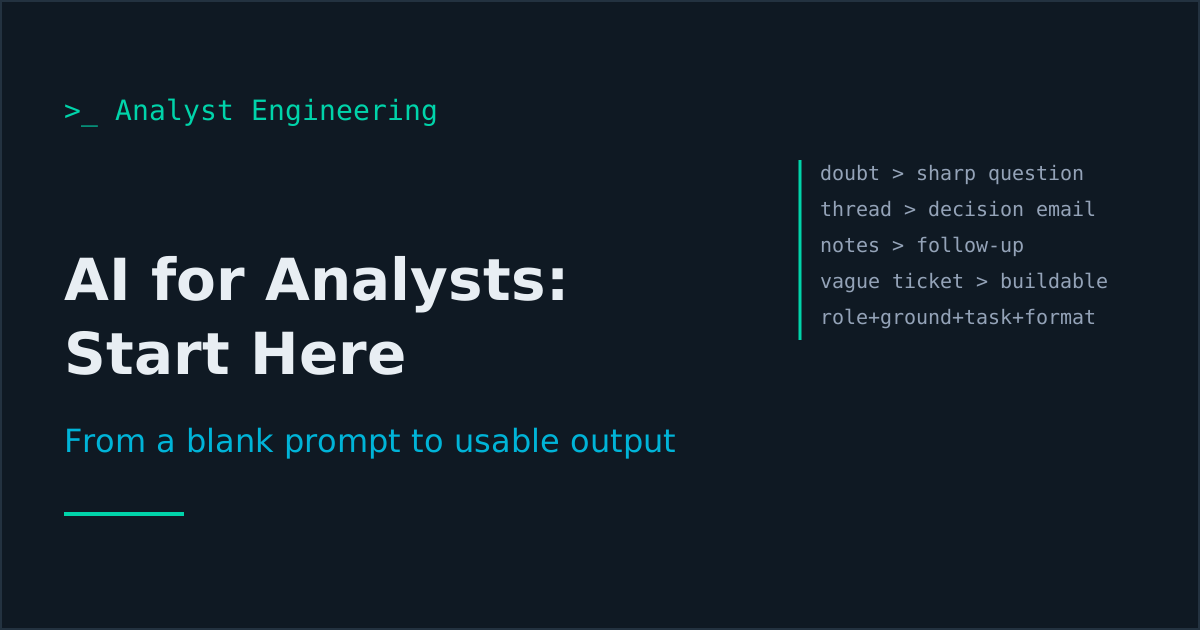
- Your first four AI wins as an analyst are not documents. They are the sharper question, the stakeholder email that forces a decision, the meeting follow-up nobody has to decode, and the vague ticket rewritten into something buildable.
- Every useful analyst prompt has four parts: a role, grounding material you paste in, one task, and an output format. Clever phrasing is worth almost nothing next to attaching the actual document.
- Ask the model to list what it does not know before it answers. That open-questions list is the part of the output you could not have produced faster yourself, and it is usually the most valuable part.
- Review AI output in three passes: facts (every name, number, and rule verified against the system), gaps (what was quietly invented to fill a hole), and voice (does this sound like you or like a consultancy brochure).
- Never paste customer names, account numbers, transaction references, or staff data into a general assistant. Mask first, and check your organization's approved tooling before anything leaves your laptop.
Start with four tasks, not with a document: turn a half-formed doubt into a precise question, draft the stakeholder email that forces a decision, convert your meeting notes into a follow-up with owners, and rewrite a vague ticket into something buildable. Each takes a minute, each is verifiable before you send it, and together they teach you the review habit you need before AI touches a specification.
Most analysts start with AI the wrong way round. They open a chat window, type “write requirements for a payment cancellation feature,” get back four hundred words of plausible-looking specification containing a status code that does not exist in their system, and quietly conclude that the technology is not ready. The technology is fine. The request was wrong. You asked a model that has never seen your system to supply knowledge it does not have, instead of asking it to transform text you already own.
This is part one of The AI Analyst, a series that runs from your first prompt to an AI-connected working week: your codebase, Jira, Confluence, your notes, your test plan, your collections, your dashboards. It starts here because the habits you build in these four tasks are the same habits that keep you safe when the model has write access to your ticket system in part six. If you already run daily AI flows and want the delivery-level version, the five flows that actually ship is the next step up.
What should an analyst actually use AI for first?
Use it where three things are true at once: the task is text transformation, you own the input, and you can verify the output in under a minute.
That last condition is the one people skip. If you cannot check the answer quickly, you cannot tell good output from confident nonsense, and you will either trust it blindly or abandon it entirely. Both are failures. An email draft you can read in twenty seconds is safe practice. A twelve-page functional specification for a system you barely know is not, at least not yet.
Here is the honest ranking of where AI earns its keep in week one, from safest to riskiest:
| Task | Why it is safe to start here | Time saved per instance |
|---|---|---|
| Sharpening a question before you ask it | You read it before sending; wrong output costs nothing | 5 to 10 minutes |
| Drafting a stakeholder email from a thread | The thread is the grounding; you verify against it | 10 to 20 minutes |
| Meeting notes into a structured follow-up | You were in the room, so you can spot every error | 20 to 40 minutes |
| Rewriting a vague ticket into a testable statement | The developer will tell you immediately if it is wrong | 10 to 15 minutes |
| Drafting a functional specification | You cannot verify a long document quickly | Comes later |
Work down that list in order. The first four are what this article covers.
Win 1: Turning a half-formed doubt into the question you should have asked
The single most underrated analyst use of AI is the one nobody markets: getting your own question right before you spend someone else’s time on it.
You know the feeling. Something about the refund flow bothers you. You cannot name it. So you send a developer “hey, quick question about refunds, got 5 minutes?” and burn half an hour arriving at a question you could have written down in two.
The flow: dump everything you know into the prompt, unstructured, and ask for the question, not the answer.
You are a senior technical business analyst on a payments programme.

Here is what I know, unstructured:
[paste your messy notes, the ticket, the Slack thread, the bit of the
spec you are unsure about]

Do not answer. Instead:
1. Name the precise thing I appear to be uncertain about, in one sentence.
2. List the three to five specific questions I should ask the developer
   or the product owner to resolve it, each answerable in one sentence.
3. For each question, say what artifact would settle it without a
   conversation (a log line, a database field, a contract clause).
That third instruction is the good one. Half the time the output tells you the question is already answered in a document you have, and you never need the meeting. The other half, you walk into the conversation with three sharp questions instead of one vague feeling, and you leave with answers rather than an action to “look into it.”
I use this before every refinement session and before every message to a developer who is heads-down. It is the difference between being the analyst people avoid and the analyst people answer within five minutes, which compounds over a programme far more than any document you write.
Win 2: The stakeholder email that gets a decision instead of a thread
Analyst emails fail for one reason: they explain the situation and forget to ask for anything. Twelve people read four paragraphs, nobody knows what they are meant to do, and the thread dies.
Give the model the thread and a target outcome:
Here is an email thread: [paste]

I need the head of operations to confirm whether partial refunds are
in scope for the November release, by Thursday.

Draft a reply under 150 words. Rules:
- The ask is in the first two sentences, with the date.
- One short paragraph of context, only what they need to decide.
- State the consequence of no decision by Thursday, factually, not
  as a threat.
- Offer two named options, not an open question.
- No apologies, no "just circling back", no "as per my last email".
The two named options instruction is the one that changes outcomes. Stakeholders answer multiple choice questions. They do not answer open ones, because an open question is work and a multiple choice question is a click.
Then edit. Always edit. The model writes competent, slightly bloodless business English, and everyone on your programme now recognises it. Cut the first sentence if it is throat-clearing, replace one phrase with something you would actually say out loud, and put your own sign-off back. Thirty seconds of editing is what separates “an analyst who writes well” from “an analyst who obviously uses AI.”
The same flow handles the awkward ones: telling a stakeholder their requirement is not feasible in the release, chasing a fourth time without sounding aggressive, escalating without naming and shaming. Give it the thread, the outcome, the tone constraint, and the word limit. Word limits matter more than any other instruction.
If you want the full library of these patterns rather than building them yourself, they are collected in The Technical BA Prompt Toolkit, but the four above will carry you a long way on their own.
Win 3: Meeting follow-ups that survive being read
You leave a ninety-minute workshop with three pages of notes. Somewhere in there are four decisions, seven actions, and two things that quietly contradict the specification. Writing that up properly takes an hour and you have another meeting in ten minutes, so it does not get written up, and six weeks later nobody can remember why the cut-off time is 15:30.
The flow takes two minutes:
Here are my raw notes from a 90 minute workshop: [paste]

Produce four sections, nothing else:

DECISIONS: what was actually decided. Each one must quote or clearly
trace to a line in my notes. If it was discussed but not decided, it
does not go here.

ACTIONS: task, named owner, date. If the notes do not name an owner
or a date, write OWNER NOT NAMED or NO DATE. Do not guess.

OPEN: anything raised and left unresolved.

CONTRADICTIONS: anything in these notes that conflicts with another
statement in these notes. Quote both sides.

Then list anything I appear to have recorded ambiguously and should
confirm before I send this.
The instruction that does the work is “do not guess.” Left to itself, a model smooths over missing owners and dates because fluent text wants to be complete. Forcing it to write OWNER NOT NAMED turns a tidy fiction into an accurate document with visible holes, and the holes are the reason you send the follow-up at all.
The CONTRADICTIONS section is free money. In a long workshop somebody always says two incompatible things forty minutes apart and nobody notices in the room. A model reading the whole transcript at once notices every time.
In part seven this becomes a real pipeline, with an AI note taker in Microsoft Teams feeding it and the output landing as Confluence pages and Jira tickets. For now, do it by hand with pasted notes. The habit matters more than the plumbing.
Win 4: Rewriting a vague ticket into something buildable
“As a user I want the refund process to be improved so that the experience is better.” You have seen this ticket. You will see it again on Monday.
Here is a user story: [paste]
Here is our definition of ready: [paste, or describe it]
Here is what I know about the system: [paste the relevant part of the
spec, the API contract, or the data dictionary]

Rewrite this story so a developer could start on it. Then, separately:

1. List every assumption you had to make to write that version.
2. List every question that must be answered before this is ready,
   phrased so the product owner can answer each in one sentence.
3. Flag anything in the original that is a solution rather than a need.

Use only field names and status values from the material I pasted.
If a concept has no field name in my material, write UNDEFINED IN
SOURCE rather than inventing one.
The rewritten story is the least interesting output. The assumptions list is the real deliverable, because every assumption is a conversation that has not happened yet, and the fastest way to make a story ready is to turn those into three questions and ask them.
That UNDEFINED IN SOURCE rule is the single most useful constraint I have found. Without it, a model will cheerfully write refundStatus: PARTIALLY_REFUNDED because that is what such a field would plausibly be called, and you will paste it into a ticket, and a developer will spend forty minutes looking for a status that has never existed. Make the model show you its holes instead of filling them.
For the deeper version of this, where you take a one-line business request all the way to a functional specification, see from business requirement to functional spec and the prompt patterns I reuse weekly.
The four-part prompt that beats every clever trick
Every prompt above has the same skeleton. Once you see it, you stop collecting prompts and start writing them.
- Role. “You are a senior technical business analyst on a payments programme.” This sets vocabulary and perspective. One line. It is the least important part, despite what prompt libraries suggest.
- Grounding. The actual thread, notes, ticket, contract, or schema, pasted in. This is the most important part by a wide margin. A mediocre prompt with the real document beats a beautiful prompt with nothing attached, every single time.
- Task. One transformation, stated as an instruction: restructure this into that, extract these from those, rewrite this under those constraints. Not a question. Questions invite the model to reach for general knowledge; transformations keep it on your material.
- Format and constraints. Section names, word limits, the “do not guess” rules, and a short example of what good looks like. Constraints are where accuracy comes from.
If an output disappoints you, check the four parts in order 2, 4, 3, 1. It is almost always missing grounding, and second most often missing a constraint that would have forced honesty.
Part two of this series, context engineering for analysts, turns step two into something you build once and reuse all programme, instead of hunting for documents to paste every time.
How do you review AI output without losing the time you saved?
Three passes, in this order. It takes ninety seconds once it is a habit.
Pass 1, facts. Every field name, status value, reason code, system name, number, date, and business rule. Each one either came from the material you pasted or it is unverified. There is no third category. In payments work, an invented reason code that reaches a specification becomes a defect in build, and the analyst whose name is on the document owns it. I keep a rule: if I cannot point at where a fact came from, it does not ship.
Pass 2, gaps. What did it smooth over? Read for confident sentences with no source. Fluency is the risk here, not clumsiness. A polished paragraph containing one fabricated rule sails through a review that an awkward one would have failed, because your brain reads structure as correctness.
Pass 3, voice. Does this sound like you? Strip the throat-clearing opener, the “it is important to note,” the tricolon in every third sentence. Your colleagues will read a lot of AI text this year and they are getting good at spotting it. Sounding generated undermines the content even when the content is right.
What you should not use AI for yet
Be clear-eyed about the edges, because the failures are expensive and mostly predictable:
- Facts about your system. It does not know your cut-off times, your status taxonomy, or that the batch job silently skips records with a null currency. Anything it says about your system is a guess unless you pasted the evidence.
- Anything with real data in it. Customer names, account numbers, IBANs, transaction references, staff details. Mask first. Know your organization’s approved tooling. Part three covers this properly, and it is the part of the series to read before you get comfortable.
- Decisions. Prioritization, scope, go/no-go, sign-off. A model has no stake in the outcome and no accountability for it. See the go/no-go call for what that responsibility actually looks like.
- Anything deterministic. A daily record count or a reconciliation check should be a script, because a script gives the same answer every time. Automating the analyst workflow covers what to script instead.
Your first week, concretely
Five days, one habit per day. No tooling to install beyond whatever assistant your organization has approved.
- Monday. Before your next message to a developer, run the question-sharpening prompt. Notice whether the question you send is different from the one you started with.
- Tuesday. Draft one stakeholder email through the flow in win two. Edit it into your voice. Send it. Watch whether you get a decision instead of a thread.
- Wednesday. Take your messiest meeting notes and run the four-section follow-up. Send it within the hour, which is the thing you have never once managed before.
- Thursday. Pick the vaguest ticket in the backlog and produce the assumptions list. Take the three best questions into refinement.
- Friday. Read back the week’s outputs and find the one fact you accepted without checking. There will be one. That is the lesson.
At the end of the week you will have saved perhaps three hours, which is nice but not the point. The point is that you now have a reflex for grounding and a reflex for verification, and those two reflexes are what make everything later in this series safe: a model reading your repository, a model with a connection to Jira, a model drafting your whole test plan.
The takeaway
AI for analysts starts with four small tasks, not with a document: sharpen the question, drive the email to a decision, structure the follow-up, and expose what a vague ticket leaves undefined. Each one is grounded in text you already own, each one is verifiable in under a minute, and each one builds the habit of checking every fact against the system rather than against how confident the sentence sounds.
Run the five-day plan above. Then move to part two, context engineering, where the pasting stops and you build a project pack the model reads every time, and part three, guardrails, before you connect anything to a real system. The full path is mapped on The AI Analyst.
If you want the deeper reference on how these systems work under the hood, including retrieval, the Model Context Protocol, and agents, that is AI at Work: MCP, RAG, and AI Agents. If the obstacle is your employer rather than your skill, The AI-Powered Analyst is about using AI when the company says no, and AI for the Non-Technical Senior Analyst is written for experienced analysts starting from a browser tab. For the analyst artifacts themselves, Real-World BA Deliverables gives you the templates worth grounding a prompt with.
Ahmed is a Senior Technical Business Analyst with 10+ years in banking and payments. He builds practical guides and tools for analysts at The Tech BA Toolkit.
Tags: Business Analysis, Artificial Intelligence, Productivity, Prompt Engineering, Communication
About the author
Analyst Engineering is written by Ahmed, a Senior Technical Business Analyst with 10+ years of banking and payments delivery experience: ISO 20022 and SWIFT messaging, payments API integration, Kafka event validation, and production support. Every article comes from real delivery work, and each one is reviewed and updated as tools and standards change.
Related articles
- Context Engineering for Analysts: The Project Pack That Makes AI Accurate Stop pasting documents into every prompt. Build a project context pack once: glossary, contracts, data dictionary, rules, examples, and retrieval for them.
- AI Guardrails for Analysts: What Never Goes Into a Prompt The rules of engagement for AI in a regulated delivery team: what data never leaves, how to mask it, tool tiers by blast radius, and the audit trail you keep.
- Prompt Patterns for Requirements Work: Six Patterns I Reuse Weekly Six reusable prompt patterns for requirements work: grounded extraction, format contract, adversarial review, gap interrogation, traceability, testability.
- The AI-Augmented Analyst Workflow: Five Flows That Actually Ship The five AI flows that measurably speed up analyst delivery: transcript to draft spec, negative test matrix, test data, log triage, and contract diffs.
Go deeper on this
Not ready to buy? The free downloads are a no-cost place to start, and every article here stays free.
Free account
Practice on the Labs, keep your progress
A free account, no password: an email link signs you in. It saves your steps and self-assessments on the Labs, shows your missions on a dashboard, unlocks the solutions, and, if you tick the box, sends you new missions and articles when they ship.
Your email is used to sign you in. Nothing else, unless you ask. Privacy.