Onboarding With AI: Build a Personal Knowledge Pack in Your First Two Weeks
Written by Ahmed at Analyst Engineering, a Senior Technical Business Analyst with 10+ years in banking and payments delivery.
Key takeaways
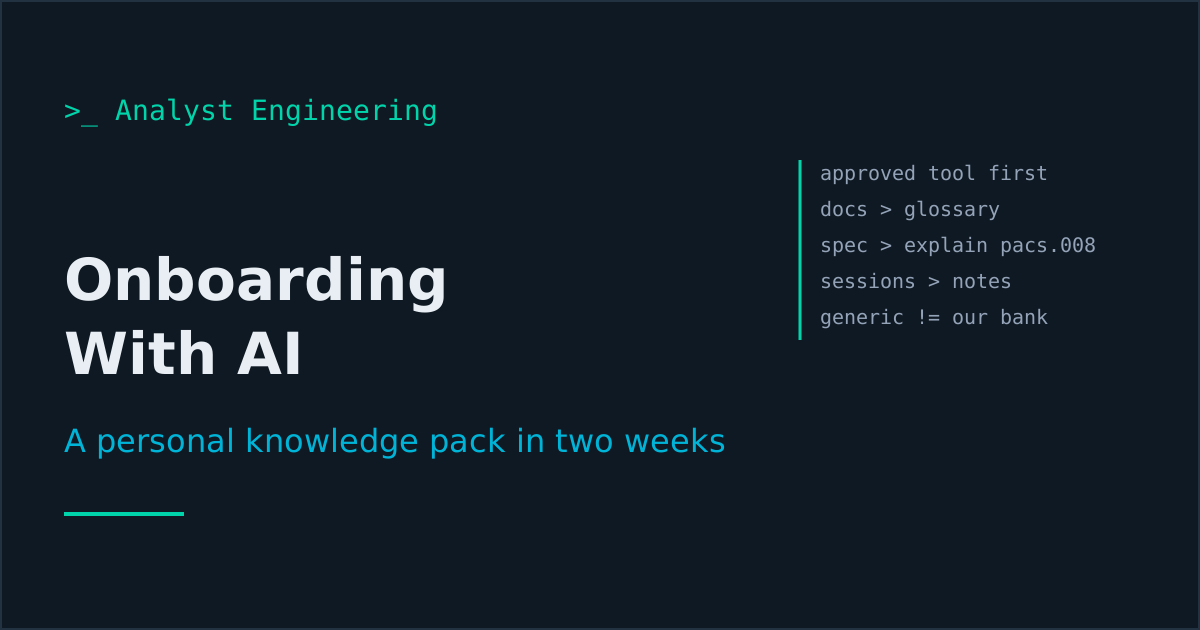
- The first AI question in a new job is not a prompt. It is which assistant and which tenant are approved, and which data classes may go into it. Ask it on day one, in writing.
- A personal onboarding pack has five parts: a glossary built from the team's own documents, message explainers grounded on the team's mapping spec, notes from every onboarding session, a self-quiz, and a questions list.
- Ask the model to generate the questions you should ask colleagues, not the answers. A new analyst's real gap is not knowledge of the standard, it is knowledge of the local implementation.
- The biggest onboarding trap with AI is a confident explanation of generic ISO 20022 when your bank's implementation differs. Ground every explainer on the team's mapping spec and mark every claim the spec does not support.
- Load a notebook tool such as NotebookLM, or a Claude or ChatGPT Project, only with documents your organization has approved for that tool, and never with production extracts or customer data.
Check which AI tool is approved before you open a chat window, then spend your first two weeks building a personal onboarding pack from the team’s own documents: a glossary of every acronym, message explainers grounded on the team’s mapping spec, structured notes from every onboarding session, a self-quiz, and a list of precise questions for your colleagues. The model accelerates the reading. It must never become the source of truth about a system it has never seen.
You join a payments team on a Monday. By Wednesday you have been given access to forty Confluence pages, a SharePoint folder called “ISO Migration FINAL v3”, two recorded walkthroughs of ninety minutes each, a mapping spreadsheet with 412 rows, and a repository. Everybody is kind and everybody is busy. The person who knows how the repair queue works is on leave until the 14th.
This is where AI earns its keep in a new job. Not by knowing your system, because it does not, but by reading faster than you can and turning what the team already wrote into something you can learn from. This is part three of The First 90 Days, the series on onboarding as a technical analyst. Part one sets the 90-day plan and part two covers how to read documentation without believing all of it. This part puts AI to work on that reading.
What is the first thing to ask about AI in a new job?
Ask which assistant is approved, on which tenant, and for which classes of data. Ask it on day one, and get the answer in writing.
This sounds like bureaucracy. It is the opposite: it is the question that lets you move fast for the next ninety days without wondering whether you are about to become the subject of a data protection incident in your first month. Banks take this seriously, and they are right to. A payments team handles names, IBANs, account numbers, UETRs, and sanctions screening results, and the rules about where those can go are not suggestions.
The three answers you need:
| Question | Why it matters | What a good answer looks like |
|---|---|---|
| Which assistant is approved? | Personal accounts on consumer tools are usually not, even if colleagues use them | ”Microsoft 365 Copilot in our tenant” or “Claude Enterprise via the internal portal” |
| Does the tenant train on our data? | Enterprise agreements normally exclude training; consumer tiers may not | ”No, enterprise agreement, data stays in region” |
| Which data classes may go in? | Approved for internal documents does not mean approved for customer data | ”Internal and confidential documents yes; customer data and production extracts no” |
If the answer is “nothing is approved yet,” you are not stuck. You can still use AI on public material: the ISO 20022 standard, the published CBPR+ usage guidelines, the EPC rulebooks for SEPA, and your own sanitized notes. That is the situation The AI-Powered Analyst is written for: how to get value from AI when the company policy is restrictive or undecided, without putting anything at risk. For the full data classification approach, see AI guardrails for analysts.
What goes into a personal onboarding pack?
Five parts, each built from material the team already has. You are not asking the model what it knows. You are asking it to restructure what your team knows into a form you can learn from.
- The glossary. Every acronym, system name, and internal nickname, defined from the team’s own documents.
- Message and process explainers. One page per message type or process, grounded on the team’s mapping spec and the public usage guideline.
- Session notes. Every onboarding walkthrough turned into decisions, rules, systems, and open questions.
- A self-quiz. Twenty questions you should be able to answer by day 30, generated from the pack itself.
- The questions list. What you need to ask colleagues, phrased so each one can be answered in a sentence.
Where you keep it depends on the approved tool. A notebook tool such as Google’s NotebookLM answers only from the sources you upload and cites them, which is exactly the property you want. A Project in Claude or ChatGPT does the same job if your organization approves it: a fixed set of documents plus standing instructions. If you already run an Obsidian vault, the AI second brain shows how to make it queryable. The tool matters less than the rule: only approved documents go in, and nothing containing customer data, staff data, or production extracts.
How do you build a glossary from the team’s documents?
Feed the model the documents and ask it to extract terms, not to define them from general knowledge. The difference is the whole point.
On a cross-border payments team in 2026, your glossary will contain public terms (CBPR+, HVPS+, UETR, BIC, LEI, nostro, vostro, RJCT) and local ones (the name of the payment hub, the repair queue nickname, the cut-off time the team calls “the 3:30”, the code name of the gateway upgrade). A generic model can define the first group and will invent the second.
You are helping a technical analyst who joined a payments team this week.

Here are the team's documents: [attach or paste: system overview,
mapping spec summary, runbook, two Confluence pages]

Build a glossary. Rules:
1. Extract every acronym, system name, queue name, and internal term
   that appears in these documents.
2. For each term, give a definition using ONLY the documents. Quote
   the sentence it came from and name the document.
3. If the documents use a term without defining it, write
   NOT DEFINED IN SOURCE. Do not fill it from general knowledge.
4. Separately, list terms that appear to mean different things in
   different documents, with both quotes.
5. Output as a table: term, definition, source, confidence.
Two outputs matter more than the glossary itself. The NOT DEFINED IN SOURCE rows are your first questions list, because the team uses those words every day and has never written them down. The “means different things” list is gold. On one migration programme I joined, the word “rejection” meant a pacs.002 with status RJCT in the interface spec, a payment sitting in the repair queue in the operations runbook, and a returned payment (a pacs.004) in the reconciliation document. Three teams, one word, three message types. Finding that in week one saved a defect later.
For the public terms, you can let the model add a second column from its general knowledge, clearly labelled. Then verify the public ones once against an authoritative source: the ISO 20022 message definitions, the CBPR+ usage guidelines published on SWIFT’s MyStandards, or the ISO 20022 identifiers guide for BIC, LEI, IBAN, and UETR.
How do you get AI to explain a message without inventing your implementation?
Ground it on two sources at once, the team’s mapping spec and the public usage guideline, and make it show you where the two disagree.
Here is the prompt I use when I need to understand how my new team handles a pacs.008, the FI to FI customer credit transfer:
Two sources:
A) Our team's mapping spec for outbound pacs.008: [paste the rows,
   or attach the export with customer data removed]
B) The public CBPR+ usage guideline for pacs.008: [paste the
   relevant section, or describe the rule set]

Explain our outbound pacs.008 to me as a new analyst. For each block
(group header, debtor, debtor agent, intermediary agents, creditor
agent, creditor, remittance, regulatory reporting):
1. What our spec says we populate, and from which source field.
2. What the usage guideline requires or allows.
3. Where they differ, quoted from both.
4. Anything our spec leaves unstated.

Mark every sentence with [SPEC], [GUIDELINE], or [GENERAL KNOWLEDGE].
I will only trust the first two.
The tagging instruction changes the output. Without it, the explanation reads as one smooth story and you cannot tell which parts describe your bank. With it, the [GENERAL KNOWLEDGE] sentences stand out, and those are the ones to check with a colleague.
The block-by-block structure follows the message itself, which also teaches you the message. By the end of week one you should be able to say from memory what your team puts in the debtor agent, whether you send an intermediary agent, and where the remittance information comes from. For the deeper walkthrough of each block, see the agent chain, remittance information, and usage guidelines articles.
What is the biggest trap when onboarding with AI?
A confident, correct explanation of the generic ISO 20022 standard that is wrong about your bank.
This is worse than a hallucination, because it is true. The model is right about the standard. It is wrong about your implementation, and you have no way to tell the difference in week one. Three examples I have seen in real onboarding:
- The reason code mapping. A model will tell you, correctly, that AC04 means “closed account number” in the ISO external code set. What it cannot tell you is that your team’s payment hub maps an inbound AC04 from a correspondent to an internal code that triggers an automatic customer notification, while AC01 (incorrect account number) goes to the repair queue for a manual check. That routing is the actual behavior your customers experience, and it lives only in your configuration. The reason codes guide covers the public meanings; your team owns the routing.
- The address rule. A model will explain that from November 2026, CBPR+ no longer accepts fully unstructured postal addresses, and that structured or hybrid addresses (town name and country in dedicated elements at minimum) are required. True. It does not know that your channel still captures addresses as four free-text lines and that the payment hub runs a parsing step to split them, or that the parser fails on certain formats. See structured addresses for the public rule.
- The truncation behavior. During the MT and MX coexistence period, which ended for cross-border payment instructions in November 2025, banks that still processed MT internally had to handle data that did not fit: 140 characters of unstructured remittance information in MX against four lines of 35 in MT field 70. The model knows the public problem. It cannot know whether your system truncates, rejects, or puts the overflow somewhere else. Data truncation describes the patterns; only your logs and code tell you which one you have.
The defence is the [SPEC] / [GUIDELINE] / [GENERAL KNOWLEDGE] tagging above, plus one habit: every time the model explains something that sounds like behavior, write it down as a question for a colleague, not as a fact in your notes.
How do you turn onboarding sessions into notes you can actually use?
Record with consent, use the approved recap tool, then run the transcript through a structured extraction that refuses to guess.
Most banks running Microsoft 365 have Copilot in Teams, which can produce a meeting recap from the transcript when transcription is enabled and policy allows it. The default recap is a summary. A summary is not what you need. You need the rules, the systems, and the gaps.
Here is the transcript of a 90 minute onboarding walkthrough of our
outbound payments flow: [paste the transcript or the recap]

Extract, using only the transcript:

SYSTEMS: every system, queue, or component mentioned, with what the
speaker said it does.

RULES: every business or processing rule stated, quoted. Example:
"payments over the threshold go to second-eye approval".

NUMBERS: every cut-off, threshold, limit, volume, or timeout, quoted
with the speaker's words.

UNCLEAR: anything the speaker described vaguely, contradicted, or
said "we'll come back to".

QUESTIONS FOR ME TO ASK: up to eight, each answerable in one sentence,
each naming who in the session seemed to know.

Do not add anything that was not said.
The NUMBERS section is the one I reread most. Cut-off times, approval thresholds, and timeouts are the facts you will be asked about in your first refinement, and they are the ones people state once, out loud, and never write down. In SEPA Instant work, for example, someone will mention the 10-second maximum execution time in passing, and someone else will mention the internal timeout the team set below it. Both numbers matter, and the gap between them is where the interesting defects live. The full meeting pipeline, with output landing in Confluence and Jira, is covered in AI meeting notes to artifacts.
Should you ask AI for answers or for questions?
For questions. This is the single most valuable use of AI in onboarding, and almost nobody does it.
Your gap in week one is not knowledge of the standard. You can read the standard. Your gap is knowledge of the local implementation, the history, and the exceptions, and that knowledge lives in people’s heads. The bottleneck is how good your questions are when you get twenty minutes with them.
Here is my onboarding pack so far: [attach glossary, explainers,
session notes]

I am meeting the lead developer for 30 minutes tomorrow, and the
payments operations lead on Thursday.

For each person, give me the eight questions that would close the
biggest gaps in my understanding, ranked by how much each answer
would unblock. Rules:
- Each question must be answerable in one or two sentences.
- Each question must reference a specific document, rule, field,
  or system from my pack.
- Do not include any question my pack already answers.
- Flag the question I would be embarrassed not to have asked by
  day 30.
The constraint “must reference a specific document, rule, field, or system” is what turns “how does the repair queue work?” into “the runbook says payments with missing creditor address go to the repair queue; does that still apply after the parser change, or do they now get rejected with a pacs.002?” The first question costs the operations lead fifteen minutes of explanation. The second costs them one sentence, and it tells them you have done the reading. Part four of this series is entirely about asking those questions well.
If you want a ready-made library of these elicitation and question-sharpening prompts, they are collected in The Tech BA Prompt Toolkit.
How do you use AI to read a codebase you did not write?
Ask where, not what, and open every line it points to.
For developer analysts and systems analysts especially, the repository is the only documentation that is guaranteed to be current. An assistant with access to an approved copy of the repository is excellent at the question “where does the code decide whether an outbound payment needs an intermediary agent?” and returns a file and a line in seconds. It is much less reliable at “what does that code do?”, because it reads the function in isolation and misses the configuration value, the feature flag, or the override three layers up.
The working rule: every claim the model makes about the code comes back with a file path and a line number, you open that file, and you read the line yourself before writing anything down. AI in the codebase covers the full method, including how to map an unfamiliar repository in an afternoon.
How do you test yourself during onboarding?
Generate a self-quiz from your own pack, sit it at day 14 and again at day 30, and turn every wrong answer into a question for a colleague.
From my onboarding pack, generate 20 questions I should be able to
answer by day 30 as an analyst on this team. Mix:
- 6 on terminology (what is X, how does it differ from Y)
- 6 on flows (what happens when a pacs.002 RJCT comes back)
- 4 on numbers (cut-offs, thresholds, timeouts)
- 4 on ownership (which team owns X, who approves Y)

Give the answer key separately, each answer citing the source
document. If the pack cannot answer a question, include it anyway
and mark it GAP.
The GAP questions are the point. A self-quiz with no gaps means the quiz is too easy. A quiz with six gaps at day 14 and one at day 30 is a measurable onboarding curve, and it is a useful thing to show your manager at the 90-day review.
What should you never do with AI during onboarding?
The list is short and non-negotiable:
- Never paste customer data. No names, IBANs, account numbers, UETRs tied to real payments, or screening results. Not to check a format, not “just once.”
- Never paste production extracts or logs unless the approved tool and the policy explicitly cover that class. Use the masked test environment instead.
- Never treat an AI explanation as documentation. It goes into your notes as a hypothesis, tagged, until a person or the code confirms it.
- Never let a model write in the team’s systems in your first month. No AI-drafted Jira tickets or Confluence edits under your name until you know the team well enough to spot when the draft is wrong.
- Never use a personal account on a consumer tool for work material because colleagues seem to. Ask. The answer protects you.
The takeaway
AI makes onboarding faster when it reads your team’s material, and dangerous when it substitutes for it. Check the approved tool and data classes on day one. Build a pack from the team’s own documents: a glossary that refuses to guess, message explainers grounded on the mapping spec and the usage guideline with every sentence tagged by source, structured notes from every session, a self-quiz with honest gaps, and above all a questions list that makes every conversation with a colleague short and specific.
Next in the series: part four, asking the right questions, where that questions list meets real people. To make the pack reusable beyond onboarding, context engineering for analysts turns it into the project pack you will ground every prompt on for the rest of the programme. The whole path is on The First 90 Days.
If your company has not approved an assistant yet, The AI-Powered Analyst shows how to work within that, and how to make the case to your manager. If you are an experienced analyst starting from a browser tab, AI for the Non-Technical Senior Analyst is written for you. When you are ready to connect an assistant to Jira, Confluence, and the repository rather than pasting documents, AI at Work: MCP, RAG, and AI Agents explains how those systems work, and AI Agents at Work for Analysts covers what to hand an agent and where the guardrails go. The free downloads are a good place to start if you want something today.
Ahmed is a Senior Technical Business Analyst with 10+ years in banking and payments. He builds practical guides and tools for analysts at The Tech BA Toolkit.
Tags: Onboarding, Artificial Intelligence, Business Analysis, ISO 20022, Payments
About the author
Analyst Engineering is written by Ahmed, a Senior Technical Business Analyst with 10+ years of banking and payments delivery experience: ISO 20022 and SWIFT messaging, payments API integration, Kafka event validation, and production support. Every article comes from real delivery work, and each one is reviewed and updated as tools and standards change.
Related articles
- The Analyst's First 90 Days: An Onboarding Plan for a New Company or Team A 90 day onboarding plan for technical analysts in four phases: orient, map, contribute, own. What to produce each week, with a banking ISO 20022 example.
- How to Read a New Team's Documentation Without Believing All of It How a new analyst reads a team's documentation: the reading order, a trust register, checking pages against code, logs, and data, and Confluence search tactics.
- Context Engineering for Analysts: The Project Pack That Makes AI Accurate Stop pasting documents into every prompt. Build a project context pack once: glossary, contracts, data dictionary, rules, examples, and the retrieval that finds them.
- AI Guardrails for Analysts: What Never Goes Into a Prompt The rules of engagement for AI in a regulated delivery team: what data never leaves, how to mask it, tool tiers by blast radius, and the audit trail you keep.
Go deeper on this
Not ready to buy? The free downloads are a no-cost place to start, and every article here stays free.
Free account
Practice on the Labs, keep your progress
A free account, no password: an email link signs you in. It saves your steps and self-assessments on the Labs, shows your missions on a dashboard, unlocks the solutions, and, if you tick the box, sends you new missions and articles when they ship.
Your email is used to sign you in. Nothing else, unless you ask. Privacy.