Agentic Coding for Analysts: Claude Code, Cursor, Copilot, and Codex on Real Work
Written by Ahmed at Analyst Engineering, a Senior Technical Business Analyst with 10+ years in banking and payments delivery.
Key takeaways
- An agentic coding tool reads the repository, edits files, runs commands, and loops on the results until a goal is met. For an analyst who codes, that turns a two-day reconciliation script into a two-hour review job, provided the review is real.
- Plan before the agent edits anything. A plan you can read is a specification you can reject, and rejecting a plan costs one minute while unpicking forty edited files costs an afternoon.
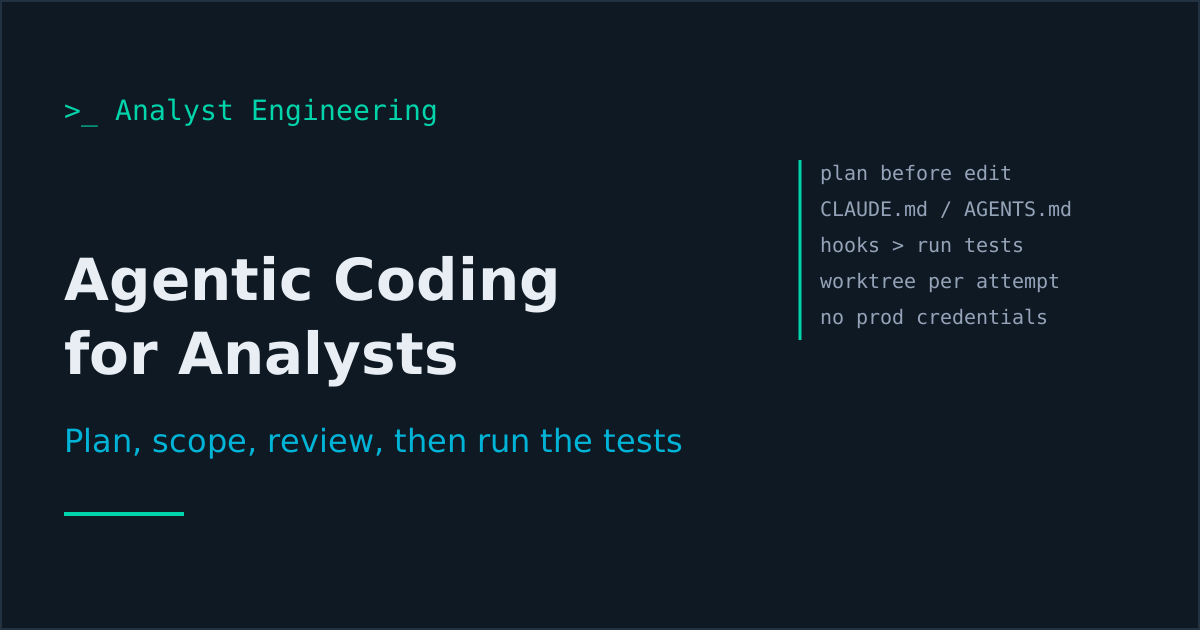
- Project memory files (CLAUDE.md, AGENTS.md, Cursor rules) are context, not enforcement. Put conventions in them, and put anything that must always happen, such as running the tests or blocking production hosts, in a hook.
- The four analyst jobs agents do well are a reconciliation script, a test harness built from a contract, a migration mapping checker, and a review of a pull request against the specification. All four have an oracle you already own.
- The guardrails do not change with the tool: no production credentials in the session, only approved tools, every diff reviewed by a human, and the tests run and broken on purpose before anything merges.
Agentic coding means handing a coding task to a tool that reads the repository, plans, edits files, runs the tests, and iterates: Claude Code, Cursor’s agent, GitHub Copilot’s agent, or OpenAI Codex. For an analyst who codes, the method is the same in all four: plan before any edit, run in a permission mode that asks, keep project rules in CLAUDE.md or AGENTS.md, enforce checks with hooks, isolate attempts in git worktrees, and review every diff with the tests running.
Two earlier articles cover the neighbouring ground. AI in the codebase is about asking questions of a repository you did not write: where a rule lives, what a status means. Claude Skills for analysts is about packaging a method you repeat into a reusable skill. This one is about the step after both: letting the agent write and run code for you, on your own analyst tooling, without losing control of what ships. It belongs to the Deliver stage of The AI Analyst and to the developer analyst pillar.
What is an agentic coding tool, and how is it different from chat?
A chat assistant answers. An agentic tool acts: it has tools for reading files, editing files, and running shell commands, and it loops on the results. Ask it to “add a check for duplicate EndToEndIds” and it reads the code, edits two files, runs pytest, sees a failure, fixes it, and runs it again.
The four you are likely to meet:
| Tool | Where it runs | Unattended mode |
|---|---|---|
| Claude Code | Terminal, VS Code and JetBrains, desktop, web | claude -p headless runs |
| Cursor | Cursor editor (Agent and Plan modes), CLI | Cloud Agents (formerly Background Agents) |
| GitHub Copilot | VS Code and other IDEs, Copilot CLI | Copilot cloud agent (formerly coding agent), assigned an issue |
| OpenAI Codex | Codex CLI, IDE extension, ChatGPT apps | Codex cloud, codex exec |
Pick the one your organization approved. Everything below transfers.
Why should you plan before the agent edits anything?
Because a plan is a specification you can reject cheaply. Every tool now has a planning mode where the agent reads and proposes but does not change files:
- Claude Code: press Shift+Tab until the status line shows plan mode, prefix a prompt with
/plan, or start withclaude --permission-mode plan. - Cursor: Shift+Tab from the chat input rotates to Plan mode. The plan is an editable file.
- GitHub Copilot: the Plan agent in VS Code chat, or Shift+Tab in Copilot CLI.
- Codex: start with
codex --sandbox read-onlyand ask for a plan before allowing writes.
A planning prompt I use for analyst scripts:
Plan only, do not edit files.

Goal: a Python script that reconciles a camt.053 statement (XML) against
our ledger extract (CSV) for one account and one booking date.

Read: contracts/camt053-sample.xml, data/ledger-sample.csv,
docs/recon-rules.md.

Your plan must list:
1. The match key and the fallback key, with the camt.053 XPath for each.
2. How amounts and the credit/debit indicator are compared.
3. The output files and their columns.
4. The test cases you will write, including one per break type in
   docs/recon-rules.md.
5. Anything in the rules you find ambiguous. Ask, do not assume.
Then read the plan the way you would read a developer’s design note. Point five is where the value is: an agent that lists three ambiguities in your reconciliation rules has just done part of your job for you.
Which permission mode should an analyst use?
The one that asks, until you have a reason to loosen it. The modes, as documented today:
| Tool | Modes | Analyst default |
|---|---|---|
| Claude Code | default (asks), acceptEdits, plan, auto (a classifier reviews actions), dontAsk, bypassPermissions | plan to start, then default or acceptEdits on a branch |
| Codex | Sandbox read-only, workspace-write, danger-full-access; approvals on-request, on-failure, never | workspace-write with on-request |
| Copilot cloud agent | Works on a copilot/ branch in a GitHub Actions environment, firewalled, opens a draft pull request it cannot merge | Use as is |
| Cursor | Agent asks before commands unless allowlisted | Keep the allowlist short |
bypassPermissions in Claude Code and danger-full-access in Codex are designed for isolated containers. On a laptop connected to the bank network, they are not an option.
Permission rules make the boundary explicit. In Claude Code, .claude/settings.json committed to the repository:
{
  "permissions": {
    "defaultMode": "plan",
    "allow": ["Bash(pytest *)", "Bash(ruff check *)", "Bash(git diff *)"],
    "ask": ["Bash(git commit *)"],
    "deny": ["Read(./.env)", "Read(./secrets/**)", "Bash(git push *)"]
  }
}
Deny rules win over everything else, so the agent can run the tests freely, must ask before committing, and cannot read the secrets file or push, whatever the prompt says.
What goes in CLAUDE.md, AGENTS.md, and Cursor rules?
The things a new developer would need on day one: what the repository is, the commands, and the rules nobody should break. Each tool has its file:
| File | Read by |
|---|---|
AGENTS.md | Codex, Cursor, GitHub Copilot, and many others; Claude Code in recent versions |
CLAUDE.md | Claude Code (also read by Cursor and Copilot) |
.cursor/rules/*.mdc | Cursor, with description, globs, and alwaysApply frontmatter |
.github/copilot-instructions.md | GitHub Copilot |
For a team on several tools, write AGENTS.md and give Claude Code a one-line CLAUDE.md containing @AGENTS.md, which imports it on any version.
# AGENTS.md

## What this repository is
Analyst tooling for the payments programme: reconciliation checks,
contract test harnesses, migration mapping checks. Python 3.12.

## Commands
- Install: `pip install -r requirements.txt`
- Lint: `ruff check .`
- Test: `pytest -q`

## Rules
- Test data is synthetic. Never use a real IBAN, name, or account
  number. Fixtures live in tests/fixtures/.
- Amounts are integers in minor units. Never use float for money.
- Files under contracts/ are the source of truth. Do not edit them.
- Every new check has a test that fails when the check is broken.
- Never read .env or anything under secrets/.
Keep it short. Claude Code’s documentation recommends under 200 lines, and it makes a point worth repeating: these files are treated as context, not enforced configuration. The agent will usually follow “never read .env”. The deny rule makes sure it cannot.
How do hooks enforce the checks you care about?
A hook is a command the tool runs at a fixed point in the agent loop, whatever the model decides. Claude Code, Cursor (.cursor/hooks.json), and GitHub Copilot (.github/hooks/*.json) all support them. Two hooks pay for themselves in a week.
Run lint and tests after every edit. In Claude Code, add to .claude/settings.json:
{
  "hooks": {
    "PostToolUse": [
      {
        "matcher": "Edit|Write",
        "hooks": [{ "type": "command", "command": ".claude/hooks/run-checks.sh" }]
      }
    ]
  }
}
#!/usr/bin/env bash
# Exit code 2 sends stderr back to the agent so it fixes the failure.
if ! out=$( { ruff check . && pytest -q -x; } 2>&1 ); then
echo "$out" | tail -40 >&2
exit 2
fiBlock production targets. A PreToolUse hook on Bash that reads the command from the JSON on stdin and refuses anything naming a production host:
#!/usr/bin/env bash
cmd=$(jq -r '.tool_input.command')
if echo "$cmd" | grep -Eqi 'prod\.|\.prd\.|PROD_'; then
  echo "Blocked: production targets are not allowed in an agent session" >&2
  exit 2
fi
Adjust the pattern to your hostnames. The point is that the rule now holds on the day the prompt is careless.
When do subagents and worktrees help?
Subagents are separate agents with their own context window and their own tool list, which the main agent can send off to research in parallel. In Claude Code they are Markdown files in .claude/agents/:
---
name: spec-checker
description: Compares a code change with the specification in docs/spec/ and reports each acceptance criterion as met, not met, or not covered, citing file and line. Use when asked to check a diff against the spec.
tools: Read, Grep, Glob
model: sonnet
---
Report one row per acceptance criterion. Quote the code that meets it.
Never mark a criterion met without a file and line.
The read-only tool list is the design: the checker can read everything and change nothing. Use subagents when one task needs several independent reads, such as the contract, the existing tests, and the ledger format, so the main session does not fill up with file contents.
Worktrees give each attempt its own checkout of the repository on its own branch. When you are not sure which approach is right, run two in isolation and keep the better one:
git worktree add ../recon-pandas -b recon-pandas
git worktree add ../recon-stdlib -b recon-stdlib
git worktree list
git worktree remove ../recon-stdlib
Claude Code wraps this as claude --worktree recon-pandas, Cursor runs its agents in worktrees and offers /best-of-n across models, and Copilot cloud agent and Codex cloud work on their own branches by design. A new worktree is a fresh checkout, so ignored files such as .env and installed dependencies are not there. For an agent session, that is a feature.
Two smaller pieces complete the kit. Custom slash commands in Claude Code have been merged into skills, so a repeated instruction such as “run the reconciliation against the fixtures and summarise the breaks” becomes .claude/skills/recon-run/SKILL.md; Claude Skills for analysts covers how to write one. And MCP connections (claude mcp add, .cursor/mcp.json, Codex’s config.toml) let the agent read Jira or a test database: read-only and scoped, as in MCP for analysts.
What analyst jobs is an agent actually good at?
Jobs where you already own the oracle, so you can tell whether the result is right without trusting the agent.
1. A reconciliation script. camt.053 entries against the ledger extract: match on EndToEndId under NtryDtls/TxDtls/Refs, fall back to AcctSvcrRef, compare Amt and CdtDbtInd, and write three outputs: matched, missing on one side, and amount breaks. Your oracle is a fixture file where you planted one break of each type. Reconciliation design has the break taxonomy, the camt.053 guide has the fields, and the Investigate a duplicate refund lab is free practice for the investigation it feeds.
2. A test harness from a contract. Give the agent the OpenAPI file and ask for a pytest suite: one test per documented response, schema validation on every body, and the exact error code on every negative case. Your oracle is the contract plus the sandbox. Read developer testing in the AI era first, because the trap is tests that mirror the implementation instead of the requirement.
3. A migration mapping checker. Your MT to ISO 20022 mapping lives in a spreadsheet: field 50K to Dbtr/Nm and PstlAdr, field 70 to RmtInf/Ustrd, field 32A to IntrBkSttlmAmt and IntrBkSttlmDt. Ask the agent to turn the spreadsheet into a checker that takes a pair of sample messages (MT103 in, pacs.008 out) and reports every field that does not follow the mapping, including truncation. Your oracle is the mapping you signed off. MT to ISO 20022 migration covers what the checker must catch.
4. A pull request reviewed against the specification. Not the business-meaning question from AI in the codebase, but a check with evidence: run the spec-checker subagent above, or headless in CI:
git diff main...HEAD | claude -p "Check this diff against docs/spec/refunds.md. One row per acceptance criterion: met, not met, or not covered, with file and line. Do not summarise."The output is a table the developer can dispute line by line, which is what reviewing AI-generated code asks for.
All four start the same way: a plan, a branch, a fixture with known answers, and a test that runs on every edit. If you want the prompts and the agent setups as a ready kit, AI Agents at Work for Analysts covers the agent side, and The Forward Deployed Engineer Playbook covers shipping this kind of tooling to a client.
What are the guardrails?
The same four on every tool, and none of them is optional in a bank.
- No production credentials in the session. Not in
.env, not in the shell, not in an MCP configuration. The agent runs against fixtures, a sandbox, or a masked test database. If a task needs production data, it is not an agent task. AI guardrails for analysts has the data classes. - Approved tools only. The vendor, the plan tier, and where the code goes are decisions made above you. An agent that reads the repository sends it somewhere.
- Review every diff. Small changes, read in full.
git diffbefore every commit; git for analysts has the commands. An agent will occasionally “fix” a failing test by changing what it asserts, and only the diff shows it. - Run the tests, then break something on purpose. Change an expected value, confirm the suite fails, change it back. A suite you have never seen fail is not evidence. Scripting checks in Python covers the habits that make the scripts trustworthy once the agent has written them.
Current as of October 2026: GitHub renamed Copilot coding agent to Copilot cloud agent in April 2026; Cursor renamed Background Agents to Cloud Agents, and its CLI binary is now documented as agent; Claude Code added an auto permission mode and native AGENTS.md reading in recent releases and merged custom commands into skills; Codex no longer supports the untrusted approval policy, and its documentation moved to learn.chatgpt.com. These products change monthly, so check each tool’s documentation for the exact flag names.
The takeaway
Agentic coding tools turn an analyst who codes into an analyst who specifies, constrains, and reviews code at several times the speed. Plan before any edit. Run in a mode that asks, with deny rules for secrets and pushes. Keep conventions in AGENTS.md or CLAUDE.md and enforce what matters with hooks. Use subagents for parallel reading and worktrees for parallel attempts. Give the agent jobs where you own the oracle: reconciliation, a contract harness, a mapping checker, a review against the specification.
Then read the diff and break the tests on purpose. Those two habits separate an analyst who ships tooling from one who ships whatever the agent wrote. For the prompt patterns underneath all of this, see The Tech BA Prompt Toolkit.
Ahmed is a Senior Technical Business Analyst with 10+ years in banking and payments. He builds practical guides and tools for analysts at The Tech BA Toolkit.
Tags: Developer Analyst, Artificial Intelligence, Claude Code, Automation, Software Testing
About the author
Analyst Engineering is written by Ahmed, a Senior Technical Business Analyst with 10+ years of banking and payments delivery experience: ISO 20022 and SWIFT messaging, payments API integration, Kafka event validation, and production support. Every article comes from real delivery work, and each one is reviewed and updated as tools and standards change.
Related articles
- AI in the Codebase: How Analysts Read a Repository They Did Not Write Point AI at the repo and answer what no document can: where a rule really lives, what a status actually means, what a pull request changes for the business.
- Claude Skills for Analysts: Turning Repeatable Analysis Into Tooling A Claude Skill packages your method, references, and scripts into a folder the model loads on demand. Build one that writes pacs.008 test cases.
- Code Review When AI Wrote the Diff: What to Check, What to Automate, What to Ask Reviewing AI-generated code: the failure modes to hunt for, the review order that finds them, what CI should automate, and a PR template that makes it fast.
- Developer Testing in the AI Era: Write the Oracle, Not Just the Test AI writes tests that mirror the code, bugs included. Derive tests from the requirement, add property and contract tests, prove the suite with mutation testing.
Go deeper on this
Not ready to buy? The free downloads are a no-cost place to start, and every article here stays free.
Free account
Practice on the Labs, keep your progress
A free account, no password: an email link signs you in. It saves your steps and self-assessments on the Labs, shows your missions on a dashboard, unlocks the solutions, and, if you tick the box, sends you new missions and articles when they ship.
Your email is used to sign you in. Nothing else, unless you ask. Privacy.