You Don't Understand the System Until You Test It
Written by Ahmed at Analyst Engineering, a Senior Technical Business Analyst with 10+ years in banking and payments delivery. Last reviewed .
Key takeaways
- Documentation describes the system as someone wished it worked. Testing shows the real behavior: the timing, the actual reason codes, the half-second where a status sits in limbo.
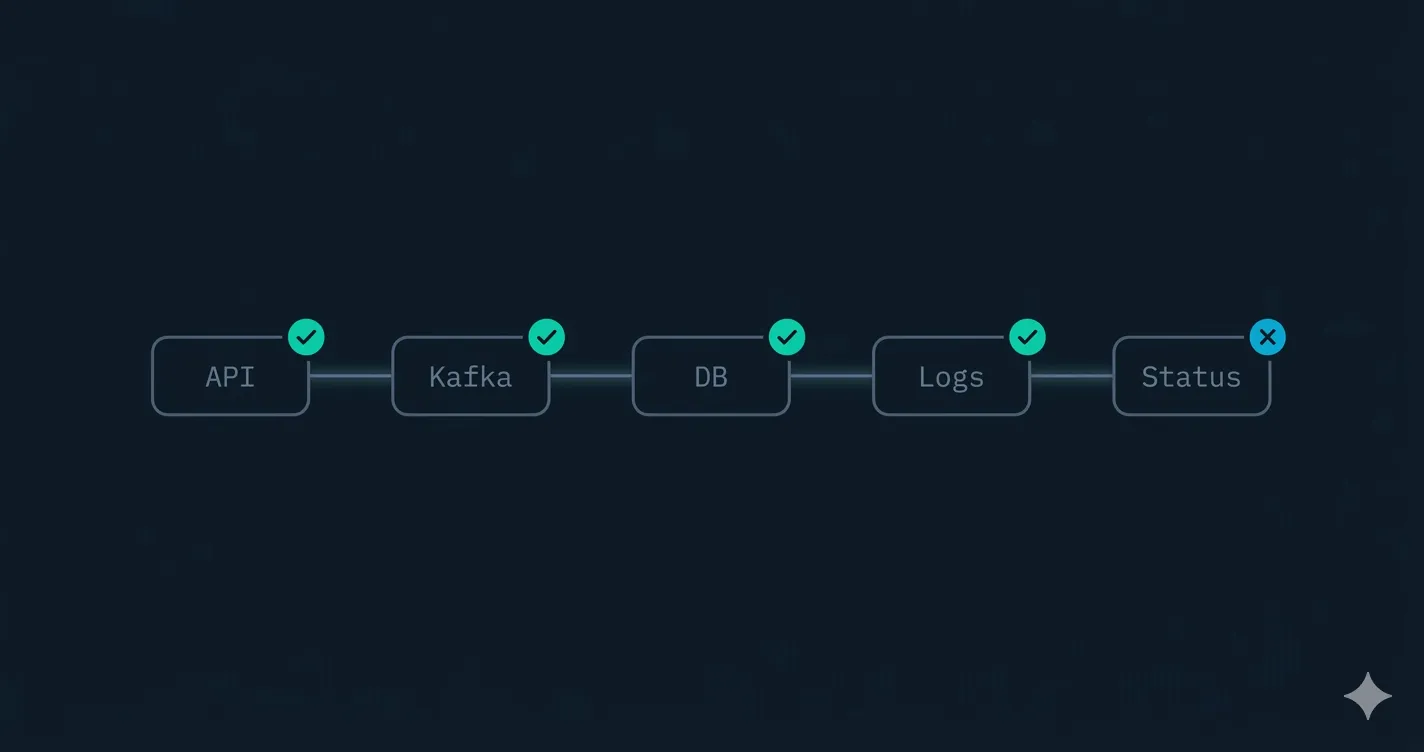
- The method is one transaction, every hop: give one payment an identity (the UETR) and ask the same question at each stop, where is my payment now and what state is it in.
- Daisy chain the checks: capture the ids from the POST, then reuse them in the status poll, the Kafka assertion, the database query, and the log search.
- The analyst who tests writes thick requirements: not 'the system shall validate the payment' but which service rejects, with which code, on which path.
Why following one payment from PAIN.001 to pain.002, through the API, the Kafka event, the database, the logs, and the callback, teaches a technical business analyst more about end-to-end payment testing than every sequence diagram in the Confluence space combined.
A new analyst joined my team and asked for the documentation so she could get up to speed. I handed over the Confluence space, the sequence diagrams, the API specs, all of it. Two weeks later she still could not tell me what happened when a payment was rejected for a closed account. Not because she had not read the docs. Because the docs described the system as someone wished it worked, not as it actually behaved.
So I sat her down and said: submit a payment, then follow it. We sent one PAIN.001 through the system and watched it move, hop by hop, until a pain.002 came back. In an afternoon she learned more than the diagrams had taught her in two weeks. By the end of the week she was catching gaps in the spec that people who had worked on the system for a year had never noticed.
Here is the thing nobody tells you when you start in banking and payments: you do not really understand a system until you have tested it. Documentation tells you the intended behavior. Testing shows you the real behavior, the timing, the error codes, the half-second where a status sits in limbo, the message a customer actually sees when something breaks. This is where analysis and quality stop being two separate jobs and become one skill. I built The Technical Skills Guide for BAs around exactly this idea, but this article is the long-form version, the full walkthrough I give every analyst who joins my team, using a single payment as the teacher.
By the end of this you will have a repeatable method for learning any payment system end to end, the exact checks to run at each hop, the war stories that show why each one matters, and a way of writing requirements that delivery teams actually trust. Settle in. This is the long one.
The analyst who reads versus the analyst who tests
There are two kinds of analysts on every delivery team I have ever worked on.
The first kind reads. They read the spec, they read the Confluence page, they sit in the refinement session and nod, and they write requirements that describe the system the way it was explained to them. Their requirements are not wrong, exactly. They are just thin. They say things like “the system shall validate the payment” and “rejected payments shall be returned to the originator.” True, and useless, because they describe intent, not behavior.
The second kind tests. They take the same spec, then they go and run something through the system to see whether the spec is telling the truth. They find out that “validate the payment” actually happens in three different services, that two of them disagree about which fields are mandatory, and that a rejection takes a different path depending on whether it failed at ingestion or at the processor. Their requirements are thick. They say “an invalid beneficiary IBAN is rejected at ingestion with a 202 received response followed by a pain.002 carrying RJCT and reason code AC04, while a closed account passes ingestion and is rejected downstream by the processor.” That second analyst is the one the team cannot lose, and the difference between them is not intelligence. It is whether they were willing to submit a payment and follow it.
I have been both analysts. Early in my career I was a reader, and I wrote requirements that looked great in the document and fell apart in production, because I had described a system I had never actually watched run. The day I started testing my own assumptions instead of documenting them was the day my requirements started landing. This is the single highest-leverage habit a technical BA can build, and it is the spine of The Technical Skills Guide for BAs.
Why diagrams and specs are not enough
A sequence diagram shows you the boxes and the arrows. It does not show you that the second service takes 400 milliseconds to respond. It does not show you that a rejection comes back with reason code AC04 and not the AC01 the spec implied. It does not show you that the status sits at “received” for a beat before it moves to “accepted,” or what the customer stares at while they wait.
When you test, all of that becomes visible. You feel the latency. You read the actual error payload. You see which field the system trusts and which it quietly ignores. You discover that the “optional” field in the spec is in fact required by the downstream bank, because the message fails without it. None of that is in the diagram, and all of it shapes requirements and user experience.
There is a deeper reason diagrams lie, and it is not malice. A diagram is drawn once, usually before the system is built, and then the system changes a hundred times and the diagram changes zero times. The code is the only honest document, and the running system is the only fully honest document, because the running system includes the config, the data, the timing, and the environment that the code alone cannot tell you. A spec is a hypothesis. A test is the experiment that confirms or kills it. In ten years across SWIFT migrations, ISO 20022 cutovers, and Interac integrations, I have never once learned a system faster by reading about it than by running something through it.
This is the bridge between analysis and quality. The analyst who tests is not just confirming the build matches the spec. She is learning the system deeply enough to write better requirements next time, and to spot the gaps the spec never covered.
The mental model: one transaction, every hop
Before the code, the mindset. The mistake most people make when they try to “test the system” is they test services in isolation. They poke the ingestion API, they look at it, they tick a box, then they poke the processor, look at it, tick a box. They learn six services and understand zero systems, because the system is not the services. The system is what happens to one transaction as it crosses all of them.
So the method is this: pick one payment, give it an identity, and follow that exact identity through every hop. Never lose sight of it. The identity is the UETR, the unique end-to-end transaction reference, and the payment id the system assigns on ingestion. Everything downstream is just you asking the same question in different places: where is my payment now, and what state is it in?
That single discipline, follow one transaction the whole way, is what turns a pile of disconnected service checks into a picture of a living system. It is also what makes the testing repeatable, because once you have the chain wired, you can run a hundred different payments through it and watch how each one behaves.
Set up the flow: one payment, followed end to end
Start with a real instruction. We submit a PAIN.001, the customer credit transfer initiation. For testing, the point is simple: one PAIN.001 enters the system, and we follow it through every service until a pain.002 comes back telling the customer what happened.
The trick that makes this repeatable is daisy chaining requests with environment variables. Each request captures the identifiers the next one needs. You POST the payment, save the payment id and the UETR, then every later check reuses them. The chain mirrors the life of one transaction.
// 1) POST the PAIN.001 to the ingestion API
// Capture the identifiers the rest of the chain needs.
bru.setEnvVar("paymentId", res.body.paymentId);
bru.setEnvVar("uetr", res.body.uetr);

expect(res.status).to.equal(202);
expect(res.body.status).to.equal("RCVD");
Now the identifiers live in {{paymentId}} and {{uetr}}, and every downstream request can reuse them. This daisy chaining pattern is the backbone of how I test event-driven systems, and it is the same approach I teach in Automate Kafka Validation with Postman, where the whole point is wiring one request into the next so a single transaction proves the entire pipeline rather than six disconnected checks proving nothing.
A note on tooling, because people get hung up here. Bruno, Postman, a few lines of Node, a Python script, it does not matter. The tool is not the skill. The skill is knowing what to assert at each hop and why. Pick whatever your team already has and move on.
Step 1: confirm the event reached Kafka
The ingestion service does not process the payment itself. It validates the message and publishes an event, say “payment.received,” to a Kafka topic. So the first downstream check is the event.
Spin up a test consumer, subscribe to the topic, and look for the event carrying your UETR. If it is there with the right type and payload, the handoff worked. If it is missing or malformed, you have learned something the diagram could not tell you: the failure is upstream, in ingestion, not in the processor everyone assumed was broken.
// 2) Assert the event was published, keyed by the UETR we captured
const event = await waitForEvent("payments.received", { uetr });
expect(event).to.exist;
expect(event.value.uetr).to.equal(bru.getEnvVar("uetr"));
Watching the event flow is also how you learn the system’s real shape. You see which services are event-driven and which are synchronous. You feel where the asynchronous gaps are, the places a customer might refresh and see nothing yet. Kafka is where most BAs in payments hit a wall, because it is invisible from the UI and absent from most specs. It is also where the most expensive misunderstandings live.
Here is a war story. On one platform, two consumers were subscribed to the same payment event, the ledger service and the notification service. The spec did not mention this. Everyone assumed the notification went out after the ledger posted. By following one event, I found the two consumers were independent, so a customer could get a “payment sent” notification a full second before the ledger had actually posted the debit, and if the ledger then rejected, the notification was already wrong. That is a real defect, a real compliance question, and a real customer-trust problem, and it was completely invisible in the documentation. The only way to see it was to subscribe to the topic and watch. Learning to validate Kafka directly, without a developer holding your hand, is one of the highest-leverage technical skills you can build, which is exactly why I wrote a whole guide on doing it.
Step 2: check the database state
Events move the payment, but state lives in the database. The processing service writes a row to the payments table. Query it directly and assert the stored state matches what you expect.
// 3) Query the payments table for the row this flow created
const row = await db.query(
  "select status, reason_code from payments where uetr = :uetr",
  { uetr }
);
expect(row.status).to.equal("ACCP");
Reading the database during a test teaches you the data model in a way no entity diagram does. You see which fields are populated when, which start null and fill in later, and what a partially processed payment actually looks like at rest. You learn that “status” is not one column but a story told across several, that the reason code is null on the happy path and populated on rejection, that there is a timestamp for received and a different one for accepted and the gap between them is your processing latency made visible.
You also learn the uncomfortable truths. The duplicate row that should not exist. The status enum that has nine values in the database and only four in the spec, because the other five were added in production incidents and nobody updated the document. The orphaned record where the event fired but the write failed. Every one of those is a requirement waiting to be written, and you only find them by reading the actual data. That knowledge makes your next set of requirements sharper, because you are writing about real columns and real states, not abstractions. Knowing enough SQL to query state during a test is non-negotiable for a technical BA, and it is one of the core skills I drill in The Technical Skills Guide for BAs.
Step 3: poll the status endpoint, POST then GET
The customer does not read your database. They poll a status endpoint. So model what they do: after the POST, GET the payment and watch the status move.
// 4) Poll the status the way the customer's channel would
// GET /payments/{{paymentId}}
expect(res.body.status).to.be.oneOf(["RCVD", "ACCP", "ACSP"]);
This POST then GET rhythm is where you feel the user experience. How long until the status is meaningful? Does it jump straight to accepted, or pass through an intermediate state a customer might find confusing? Is “accepted” the same as “settled,” and does the UI make that distinction clear? Most customers do not know the difference between ACCP, accepted, and ACSP, accepted settlement in process, and if your channel surfaces the raw code they will flood the support line asking whether their money has moved.
You only think to ask these questions once you have watched the status move with your own eyes. The reader-analyst writes “the system shall expose payment status.” The tester-analyst writes “the status endpoint returns RCVD immediately, transitions to ACCP within two seconds, and the channel must render ACCP as ‘payment accepted, settlement in progress’ so the customer does not assume funds have arrived.” One of those requirements prevents a support incident. The other causes one. This is the difference between documenting an API and understanding one, which is the entire premise of API Documentation from Scratch.
Step 4: confirm observability tells the truth
A payment that works but cannot be traced is a problem waiting to happen. So check the logs. Query your observability tool, Splunk for example, filtering on the correlation id or UETR you have carried since step one.
// 5) Confirm each hop logged the transaction, no errors
const events = await splunk.search(
  `index=payments uetr=${uetr} | stats count by service, level`
);
expect(events.some(e => e.level === "ERROR")).to.equal(false);
Now you learn the system’s nervous system. Which services log richly and which are silent. Whether the correlation id actually flows end to end, or breaks at a service boundary so a production incident would leave the on-call team blind.
I have raised broken correlation ids as defects more than once, and every time the response was the same surprise: nobody knew, because nobody had followed a single transaction the whole way through. On one platform the UETR was logged faithfully by four services and then dropped by the fifth, which logged its own internal id instead. The result was that any incident touching that service became a manual archaeology project, stitching timestamps together by hand. We would never have found it from a diagram, because on the diagram all five boxes look identical. You find it by carrying one id through the logs and watching it disappear. That observability gap is a requirement: every service must log the end-to-end UETR at info level on entry and exit. Nobody writes that requirement until they have felt the pain of its absence, and you feel it in twenty minutes of testing.
Step 5: assert the callback returns the expected pain.002
Finally, the payload that closes the loop. The system sends a callback containing the pain.002, the customer payment status report. Assert it carries the right group status and the same identifiers you started with.
// 6) The pain.002 callback should confirm acceptance, same UETR
expect(res.body.orgnlGrpInfAndSts.grpSts).to.equal("ACCP");
expect(res.body.uetr).to.equal(bru.getEnvVar("uetr"));
When the pain.002 comes back ACCP with your UETR intact, the happy path is proven. Not on paper, but end to end through every service that touched the payment. You have now seen the whole life of one transaction: it entered as a PAIN.001, became an event, became a database row, became a status the customer could poll, left a trail in the logs, and reported back as a pain.002. That is the system. Not the diagram of the system. The system.
The unhappy path is where you learn the most
The happy path tells you the system works. The unhappy path tells you how it behaves when reality goes wrong, and that is where the real learning lives. If you only ever run valid payments, you understand maybe a third of the system, because production is mostly edge cases, retries, and things going sideways.
Submit the same flow with a broken input. Use a closed beneficiary account, or an amount over the limit. Then follow it and watch where and how it fails.
The POST may still return 202 “received,” because validation happens downstream. That is already a UX insight: the customer is told “received” before anything is actually checked. The Kafka event is now “payment.rejected” rather than “payment.received,” so you learn which service owns the decision. The database row shows status REJECTED with reason code AC04 for a closed account, so you learn the real reason codes the system uses, not the ones the spec guessed. The GET returns RJCT, and you see exactly what the customer’s channel has to render. The pain.002 callback comes back RJCT with a reason code, so now you know what the customer actually finds out, and whether it is clear enough to act on. And Splunk either shows the rejection logged with the reason at the service that made the call, or it does not, which is a finding worth raising on its own.
Now push harder, because the best findings live in the weird cases.
Submit the same payment twice with the same UETR and watch what idempotency really does. Does the second submission get rejected as a duplicate, silently accepted, or processed again into a double debit? I have seen all three, and only one of them is correct. The spec said “the system handles duplicates.” It did not say which way, and the answer was a serious defect.
Kill the flow with a timeout. Submit a payment and have the processor hang or the downstream bank not respond. Does the payment sit in a pending state forever, retry automatically, or get marked failed? What does the customer see in the meantime, and is there any state from which the system can never recover on its own? Stuck payments are the single most expensive operational problem in payments, and you find the stuck states by deliberately creating them in test.
Feed it a valid message in an unsupported currency, a value date in the past, an amount of exactly zero, a beneficiary name with characters the downstream scheme rejects. Each one shows you a behavior, a status, and a message a real customer could hit, and each one makes you a better analyst, because now you know the system, not the story about the system. This systematic happy-path-then-break-it discipline is exactly how I structure test design, and the full set of techniques and templates is in Real-World BA Deliverables.
What this does for your requirements
Testing like this changes how you write requirements. You stop writing “the system shall reject invalid payments” and start writing “an invalid beneficiary account returns a pain.002 with status RJCT and reason code AC04 within two seconds, surfaced to the customer as a clear message.” You write acceptance criteria that match reality, because you have seen reality.
The change is not just precision, it is credibility. When you walk into a refinement session and say “I followed this through the system, here is what actually happens at each hop, and here is the gap,” developers stop treating you as the person who writes the document and start treating you as the person who understands the system. That standing is the whole career. It is the difference between being handed requirements to transcribe and being the person the team asks when they want to know how something really works.
That shift, from vague intent to precise, testable behavior, is the single most valuable thing a technical BA can do for a delivery team. It is exactly the muscle I break down in From Vague BR to Functional Requirements, and it gets dramatically easier once you have followed a real transaction through the system instead of guessing at how it behaves.
How to start tomorrow
You do not need a project or permission to begin. Pick one flow you are supposed to understand. Get whatever access you can, a test environment, a read replica, a log search seat, a topic you can subscribe to. Submit one transaction and assign it an identity you can track. Then follow that identity through every place it appears: the API response, the event, the database, the status endpoint, the logs, the callback. Write down what you actually observe at each hop, then compare it to what the spec claims. The gaps between the two are your first set of real findings, and they will be better than anything in the document.
Do the happy path until it is boring. Then break it on purpose, one variable at a time, and follow each broken payment the same way. Within a week you will know the system better than people who have been on it for a year, because they have been reading about it and you have been watching it run. If you want a structured path through the technical skills that make this possible, from SQL to APIs to event streams, The Technical Skills Guide for BAs is the map I wish I had been handed at the start.
The takeaway
Read the documentation, study the diagrams, then put them down and submit a payment. Follow it through the API, the event, the database, the status endpoint, the logs, and the callback. Run the happy path until it is boring, then break it on purpose and learn how it fails.
You will understand the system, and the people who use it, in a way no specification ever taught you. Documentation tells you the story someone wished were true. Testing tells you what is actually true, and your requirements, your credibility, and your career all live on the true side of that line. That is the bridge between analysis and quality, and it is built one tested payment at a time. If you want the full toolkit for working this way, start with The Technical Skills Guide for BAs and Automate Kafka Validation with Postman, or browse everything at The Tech BA Toolkit.
Ahmed is a Senior Technical Business Analyst with 10+ years in banking and payments. He builds practical guides and tools for analysts at The Tech BA Toolkit.
Tags: Business Analysis, Payments, API Testing, Career Growth, Software Testing
About the author
Analyst Engineering is written by Ahmed, a Senior Technical Business Analyst with 10+ years of banking and payments delivery experience: ISO 20022 and SWIFT messaging, payments API integration, Kafka event validation, and production support. Every article comes from real delivery work, and each one is reviewed and updated as tools and standards change.
Related articles
- Payment Testing: How to Test a Payment Flow End to End A practitioner guide to payment testing: following one transaction through ingestion, events, settlement, and status, plus the rejection and stuck-payment cases that matter.
- API Testing: How to Test an API End to End A practitioner guide to API testing: status codes, response schemas, request chaining, authentication, error contracts, and the checks that actually catch defects.
- How to Test Kafka: Validating Events You Cannot See A practitioner guide to testing Kafka: consuming events in a test, asserting schema and key, verifying ordering, duplicates, and the consumer side effects that matter.
- SQL for Analysts: Query the State, Find the Truth The SQL a technical analyst actually needs: SELECT, WHERE, JOIN, GROUP BY, and reading state during analysis and testing. Not for reports, for finding the truth.
Go deeper on this
Not ready to buy? The free downloads are a no-cost place to start, and every article here stays free.
Free account
Practice on the Labs, keep your progress
A free account, no password: an email link signs you in. It saves your steps and self-assessments on the Labs, shows your missions on a dashboard, unlocks the solutions, and, if you tick the box, sends you new missions and articles when they ship.
Your email is used to sign you in. Nothing else, unless you ask. Privacy.