Proactivity and Coaching: The Developer Skills AI Cannot Take Off Your Plate
Written by Ahmed at Analyst Engineering, a Senior Technical Business Analyst with 10+ years in banking and payments delivery.
Key takeaways
- Proactivity is not taking more tickets. It is finding the problem before it becomes a ticket: reading the story for what is missing, watching production after release, and raising risk in writing with a proposal.
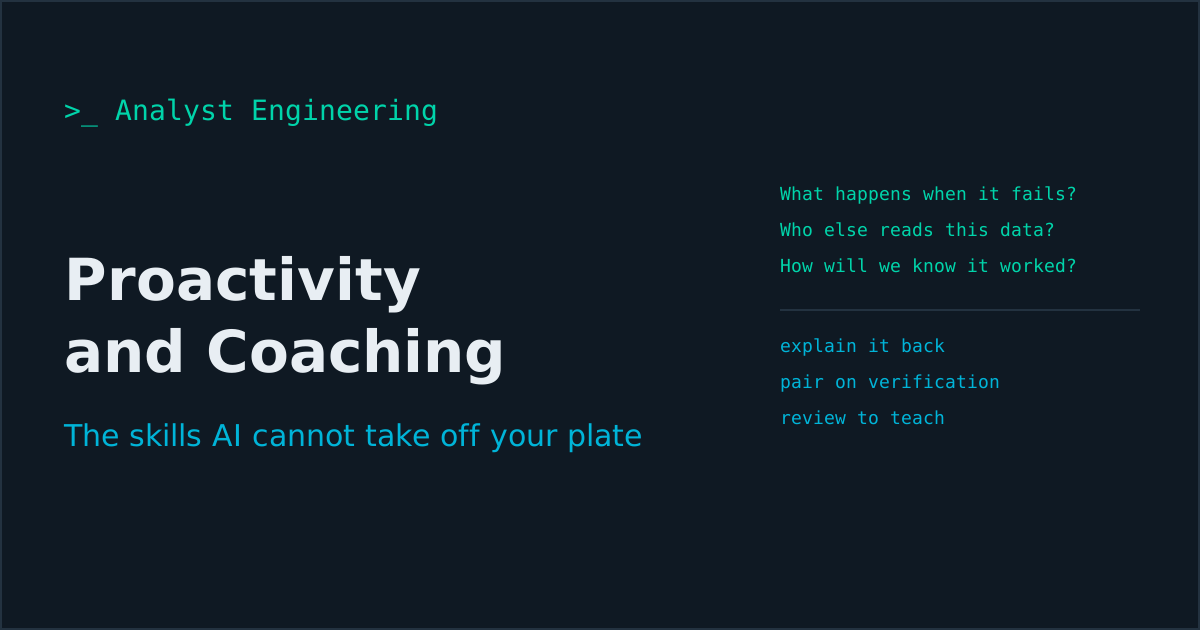
- An AI assistant builds exactly what the ticket says, including its gaps. Three kick-off questions close most of them: what happens when this fails, who else reads this data, and how will we know in production that it worked.
- The first 24 hours after a release are where most regressions are visible to anyone who looks. The developer who looks is the one who gets trusted with the next release.
- Juniors with AI can generate far beyond what they can judge. The explain-it-back rule, where the author explains why a change is correct and what would break it before merge, rebuilds judgment deliberately.
- Coach on verification, not on typing: pair while the junior writes the test from the requirement, because that is where judgment is built and where AI helps least.
Proactivity and coaching are the developer skills AI cannot take off your plate, because both are about deciding what matters before anyone asks. A proactive developer reads the ticket for what is missing, watches production after release, and raises risk in writing with a proposal. A coaching developer builds judgment in people who can now generate far more code than they can evaluate. Both are the clearest signals of seniority on a team that uses AI.
A developer on a card payments team I worked with picked up a story to add a new refund reason to the dispute flow. Small change. The assistant produced it in minutes, tests included. Before opening the pull request, she asked one question in the channel: “who else reads the refund reason field?” It turned out the finance reconciliation job did, and it mapped unknown reasons to a suspense account that someone cleared by hand every month. Her one question saved a month of manual reconciliation and an awkward audit finding.
Nothing in the ticket mentioned finance. The assistant could not have known. She did not know either; she asked. That is proactivity, and it is the part of the job that gets more valuable as the typing gets cheaper. Most of it is the same skill analysts use to turn a vague request into something buildable, which I laid out step by step in From Vague BR to Functional Requirements. Developers who borrow it stop building the gaps.
What does proactivity mean for a developer?
Not volunteering for more tickets, and not working late. It means finding the problem before it becomes a ticket. Four habits cover most of it, and each one is observable: your manager and your team can see you doing it.
- Read the story for what is missing before you build, or before you prompt.
- Raise risk early, in writing, with a proposal.
- Watch production for the first 24 hours after release.
- Leave each area you touch slightly better than you found it.
Which questions should a developer ask before building?
Three, at kick-off or refinement. An assistant builds exactly what the ticket says, gaps included, so these questions matter more now than when a human developer would have stumbled on the gaps while typing.
“What happens when this fails?” Timeouts, rejections, partial success, duplicates. If the story does not say, the implementation will invent something, and invented failure behaviour in payments means a customer charged twice or a payment stuck in limbo. The full set of unhappy paths is in Negative Test Design.
“Who else reads this data?” Reports, reconciliation jobs, downstream consumers, the data warehouse, regulators. The refund reason story above is the pattern: a field that looks local has readers nobody listed. Check the data lineage or search the codebase and the event catalogue for the field name.
“How will we know in production that it worked?” Not that it deployed: that it did its job. A metric, a log line, a reconciliation count. If nobody can answer, add the observability to the story before you build.
Bring the answers back into the ticket as acceptance criteria. Refinement is the right place for this, and Refinement for Analysts covers how to make that meeting produce decisions.
How do you raise a risk without sounding negative?
Write it down and bring an option. A risk with a proposal reads as ownership; a risk without one reads as a complaint. Use four parts and keep it under 200 words:
**Risk:** The new settlement retry can post a duplicate booking if the core
banking call times out after committing.

**Evidence:** Core banking p99 is 38s in last month's logs; our timeout is 30s.
3 timeouts per day in production last month, all after commit.

**Cost of doing nothing:** Up to 3 duplicate bookings per day, each needing a
manual reversal and a customer contact. Audit finding likely.

**Options:**
1. Send an idempotency key and let core banking deduplicate (2 days, needs
   core team confirmation that they support it).
2. Raise our timeout to 45s and query status before retrying (1 day, slower
   failure detection).

Recommend option 1. Need a decision by Thursday to keep the sprint.
Post it where decisions are recorded, such as the ticket or the decision log, not only in stand-up where it evaporates. Numbers make the difference: “might cause duplicates” gets deprioritised, “up to 3 duplicate bookings a day” gets a decision.
What should you watch in the first 24 hours after a release?
Most regressions are visible within a day to anyone who looks. The developer who looks is the one who gets trusted with the next release. My checklist:
- Your new error codes and log messages: search for them. Zero may be good, or may mean the path never ran.
- Error rate and latency on the endpoints and consumers you changed, compared with the same hour last week.
- The business metric, not only the technical one: payments completed, refunds processed, matches reconciled.
- Dead-letter queues and retries for the topics you touched, since failed messages collect quietly in a dead-letter queue.
- Support tickets tagged with the feature or mentioning the screen you changed.
Fifteen minutes in the morning and fifteen in the afternoon. If you find something, you are reporting your own regression before a customer does, which is the single most credibility-building thing a developer can do. The broader support skill set behind this is in The Production Support Skills Nobody Teaches Analysts, and it applies unchanged to developers.
What does leaving code better look like with AI?
AI makes small improvements nearly free, which removes the excuse, not the discipline. Per change, pick one: add a characterization test around the area you touched, rename the variable that confused you, delete a feature flag that has been on for a year, or update the README step that was wrong. Keep it in a separate commit, or a separate pull request if it is more than trivial, so reviewers can tell the improvement from the feature.
The rule that keeps this healthy: improvements are small and scoped to where you already are. An assistant will happily “improve” twelve files you were not asked to touch, and that is scope creep, not ownership.
Why does coaching matter more when juniors use AI?
Because the apprenticeship broke. Developers used to build judgment by writing a lot of mediocre code and having it reviewed line by line. A junior with an assistant now produces senior-looking code on the first day and has no internal signal for when it is wrong. They are not less capable; they are skipping the stage where judgment used to form.
Someone has to rebuild that stage on purpose. On most teams that is the senior developer, and it is now a larger part of the job than it was. A developer who coaches multiplies the team’s judgment, and judgment is the scarce resource. This is also exactly the profile of the forward deployed engineer, who has to make customers’ teams effective as well as ship code, which I map in The Forward Deployed Engineer Career Guide.
Which coaching formats work in an AI-assisted team?
Four, in order of return on time.
The explain-it-back rule. Before a generated change is merged, the author explains in their own words, in the pull request or out loud, why it is correct and what input would break it. If they cannot, it goes back. This is the cheapest and most effective habit I know, and it works for seniors too.
Pair on verification, not on typing. Sit with the junior while they write tests from the requirement, before looking at the implementation. Watching someone choose boundaries and expected values is where you see how they think, and where you can correct it. The method is in Developer Testing in the AI Era.
Review as teaching. Every review comment names the principle as well as the fix. “Unknown statuses should not default to a success state, because a customer would see a rejected payment as settled” teaches something that transfers. “Change this to PDNG” teaches nothing.
Show your prompt and your check. Once a week, a developer shares one prompt they used and how they verified the result, in fifteen minutes. The team’s AI use improves faster from each other’s real examples than from any training course, and it normalises checking.
How do you coach someone on using AI well?
The same way you would coach any tool with sharp edges: set the rule, model it, then review against it.
| Stage | What the junior does | What you check |
|---|---|---|
| Before prompting | Writes down the rule and the edge cases | Did they find the failure behaviour and the data readers? |
| Prompting | Gives context: requirement, constraints, existing patterns | Did they give the model the oracle, or only the code? |
| After generation | Reads every line, runs it, derives tests independently | Can they explain it back? |
| Pull request | Fills the AI assistance and verification sections | Is the verification real evidence? |
The goal is not a junior who uses AI less. It is a junior who can tell when the output is wrong, which is the skill that makes them senior. For the data guardrails to teach alongside it, see AI Guardrails for Analysts.
How do you show proactivity and coaching in a performance review?
Keep evidence as you go, because neither skill produces a feature you can point to. A running file with dated entries works:
- Risks raised, with the note and the outcome.
- Regressions you caught after release before a user reported them.
- Questions at kick-off that changed the scope, like the refund reason reader.
- Templates, checklists, or pipeline checks you introduced, and who uses them.
- People you coached, and what they can now do without you.
Concrete artifacts and outcomes read as senior behaviour. Adjectives like “proactive” and “team player” do not. The same evidence discipline is what makes a promotion case, or an interview answer, land.
The takeaway
The developer skills AI cannot take off your plate are the ones about deciding what matters before anyone asks. Ask what happens when it fails, who else reads the data, and how you will know it worked. Raise risks in writing with numbers and an option. Watch production for a day after every release. Leave each area a little better. Then spend real time on the people around you: apply the explain-it-back rule, pair on verification, review to teach, and share how you check your own AI output.
Do this for a quarter and people will start bringing you problems early. That is the most reliable sign of seniority there is.
For turning vague requests into buildable, testable work, start with From Vague BR to Functional Requirements. If you want to work through your own growth plan or a coaching approach for your team, book a 1:1 Tech BA Coaching Call, or browse everything at The Tech BA Toolkit. The full set of skills this fits into is in The Developer’s Job When AI Writes the Code, part of the Developer Analyst hub.
Ahmed is a Senior Technical Business Analyst with 10+ years in banking and payments. He builds practical guides and tools for analysts at The Tech BA Toolkit.
Tags: Software Development, Banking, Career Growth, Mentoring, Artificial Intelligence
About the author
Analyst Engineering is written by Ahmed, a Senior Technical Business Analyst with 10+ years of banking and payments delivery experience: ISO 20022 and SWIFT messaging, payments API integration, Kafka event validation, and production support. Every article comes from real delivery work, and each one is reviewed and updated as tools and standards change.
Related articles
- The Developer's Job When AI Writes the Code: Seven Skills That Now Decide Your Value When AI generates code in seconds, a developer's value moves to proving it works: testing, review, quality, release notes, demos, proactivity, and coaching.
- Working With Developers: A Field Guide for Analysts Who Do Not Code Developers do not need you to read code. They need decisions, edge cases answered before they hit them, and the why behind the what. The questions that work.
- The Production Support Skills Nobody Teaches Analysts The production support skills that make a technical analyst invaluable: triage, tracing transactions, reading logs, calm under pressure, and turning incidents into requirements.
- Refinement That Actually Refines: Turning a Story Into Something Buildable The output of refinement is not an estimate, it is decisions closed. What to bring, how to split a story without knowing the code, and what ready means.
Go deeper on this
Not ready to buy? The free downloads are a no-cost place to start, and every article here stays free.
Free account
Practice on the Labs, keep your progress
A free account, no password: an email link signs you in. It saves your steps and self-assessments on the Labs, shows your missions on a dashboard, unlocks the solutions, and, if you tick the box, sends you new missions and articles when they ship.
Your email is used to sign you in. Nothing else, unless you ask. Privacy.