API Performance Testing With k6: From the NFR to the Load Test
Written by Ahmed at Analyst Engineering, a Senior Technical Business Analyst with 10+ years in banking and payments delivery.
Key takeaways
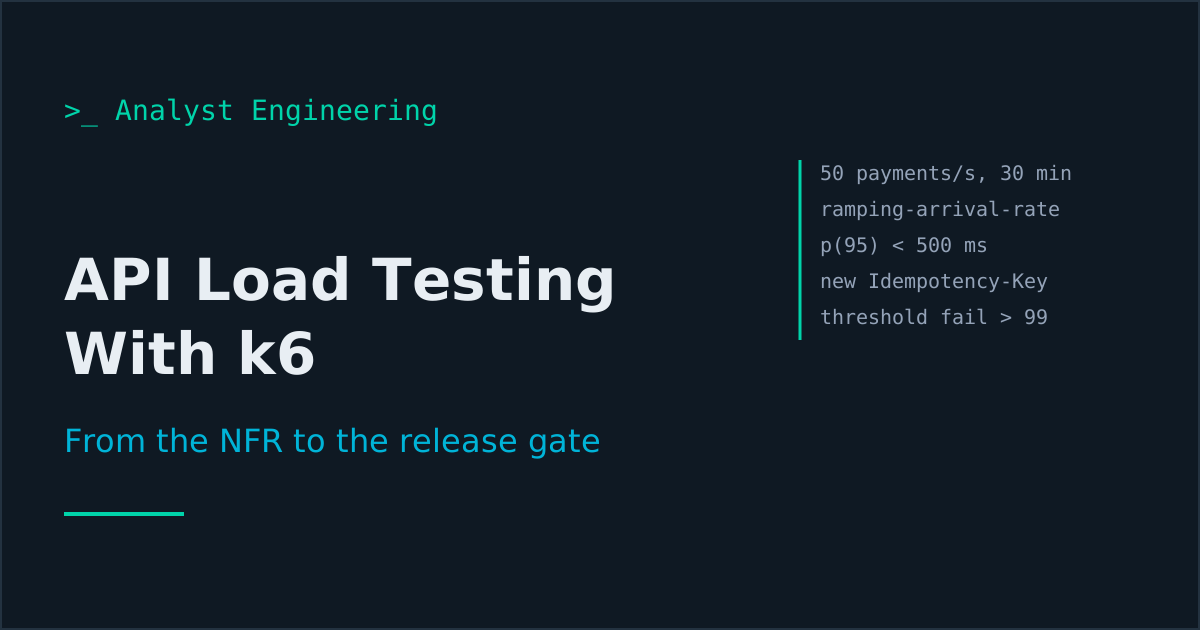
- A load test without a written non-functional requirement has no pass mark. State the measure, target, and condition first, such as p95 under 500 ms and errors under 0.1% at 50 payment initiations per second for 30 minutes, then encode those numbers as k6 thresholds.
- Use an arrival-rate executor such as ramping-arrival-rate when the requirement is stated in requests per second. It starts iterations at the target rate whatever the response time, so a slow system cannot quietly lower the load it is being tested at.
- In a payments load test every request needs a unique Idempotency-Key and a unique EndToEndId. Reusing one key measures the idempotency cache, not payment processing, and retrying with a new key creates the duplicate payments the key exists to prevent.
- k6 exits with code 99 when a threshold fails, which is all a CI pipeline needs: the NFR becomes a gate rather than a slide.
- Never load test a third-party sandbox without written permission. Stripe's documentation discourages load testing against its sandbox, which allows 25 requests per second against 100 in live mode, and recommends mocking the provider with sampled live latencies instead.
API performance testing with k6 starts with the non-functional requirement, not the script: write the measure, target, and load condition first (for example, p95 under 500 ms with errors under 0.1% at 50 payment initiations per second for 30 minutes), then encode it as k6 scenarios, thresholds, and checks. Grafana k6 v2 runs the test from a JavaScript file, exits with code 99 when a threshold fails, and drops straight into CI. For a payments API, unique idempotency keys and a disposable ledger are what stop the load test from creating duplicate payments.
Most performance tests I have reviewed on bank programmes failed before they ran, because nobody had written down what “fast enough” meant. The engineer picked 100 virtual users because it was a round number, the report said “average 180 ms”, and the release went ahead. Then month-end arrived. This article is the analyst’s side of performance testing: the requirement, the test design, the data, and reading the result. It sits in the QA analyst and systems analyst hubs and the advanced track of APIs for Analysts.
What should you write before the k6 script?
The non-functional requirement. Non-functional requirements gives the four parts every testable NFR needs: a measure, a target, a condition, and a verification method. For a payment initiation API:
| Part | Requirement |
|---|---|
| Measure | Server response time of POST /payments and GET /payments/{id}, and the failed-request rate |
| Target | POST: p95 under 500 ms, p99 under 1,000 ms. GET: p95 under 200 ms. Failed requests under 0.1% |
| Condition | 50 payment initiations per second sustained for 30 minutes, with 150 status reads per second running concurrently, in the performance environment |
| Verification | k6 average-load test, thresholds as above, run before each release candidate |
Where the 50 comes from matters more than the number itself. Take measured peak volume (the 09:00 batch release, the last cut-off of the day), add growth, and write the source next to the figure. A requirement of “200 TPS” invented in a workshop is a guess with a unit attached.
Two analyst rules. Percentiles, not averages: an average of 180 ms can hide a p99 of four seconds, and the customers in that tail are the ones who phone the bank. Throughput as an arrival rate: “50 per second” means 50 new payments start every second whether or not the last ones have finished, which decides the executor you use.
What is k6, and which version is current?
Grafana k6 is an open-source (AGPL-3.0) load testing tool: you write the test in JavaScript, and a single Go binary runs it. The current major version is k6 v2 (v2.3.0, released 21 September 2026), and the v1.x line still receives patch releases.
If you are reading older tutorials, v2.0.0 removed several long-deprecated commands and flags: k6 login (now k6 cloud login), --no-summary (now --summary-mode=disabled), the legacy summary mode, and the externally-controlled executor. Scripts that use scenarios, thresholds, and check() are unaffected. Two newer additions are useful to analysts: the web dashboard is built in (k6 run --out web-dashboard), and v2.3.0 added --scenario to run selected scenarios without editing the script.
What does a k6 script for a payments API look like?
One file, three scenarios: a smoke check, the payment creation load, and the concurrent status reads. Thresholds carry the NFR numbers.
import http from 'k6/http';
import { check } from 'k6';
import exec from 'k6/execution';
import { SharedArray } from 'k6/data';

const BASE = __ENV.BASE_URL;
const RUN = __ENV.RUN_ID || 'local';
const debtors = new SharedArray('debtors', () => JSON.parse(open('./debtors.json')));
const seeded = new SharedArray('payments', () => JSON.parse(open('./payment-ids.json')));

export const options = {
  scenarios: {
    smoke: {
      executor: 'constant-vus', exec: 'createPayment',
      vus: 1, duration: '30s',
    },
    create_payments: {
      executor: 'ramping-arrival-rate', exec: 'createPayment',
      startRate: 5, timeUnit: '1s',
      preAllocatedVUs: 50, maxVUs: 300,
      stages: [
        { target: 50, duration: '5m' },   // ramp up
        { target: 50, duration: '30m' },  // hold: the NFR condition
        { target: 0, duration: '2m' },    // ramp down
      ],
    },
    read_status: {
      executor: 'constant-arrival-rate', exec: 'readStatus',
      rate: 150, timeUnit: '1s', duration: '37m',
      preAllocatedVUs: 50, maxVUs: 300,
    },
  },
  thresholds: {
    'http_req_duration{scenario:create_payments}': ['p(95)<500', 'p(99)<1000'],
    'http_req_failed{scenario:create_payments}': ['rate<0.001'],
    'http_req_duration{scenario:read_status}': ['p(95)<200'],
    checks: ['rate>0.999'],
    dropped_iterations: ['count<1'],
  },
};

const headers = () => ({
  'Content-Type': 'application/json',
  'Authorization': `Bearer ${__ENV.TOKEN}`,
  'Idempotency-Key': crypto.randomUUID(),
});

export function createPayment() {
  const debtor = debtors[exec.scenario.iterationInTest % debtors.length];
  const body = JSON.stringify({
    amount: { value: '10.00', currency: 'EUR' },
    debtorIban: debtor.iban,
    creditorIban: 'DE89370400440532013000',
    endToEndId: `LT${RUN}-${exec.scenario.iterationInTest}`,
  });
  const res = http.post(`${BASE}/payments`, body, {
    headers: headers(), tags: { name: 'POST /payments' },
  });
  check(res, {
    'created 201': (r) => r.status === 201,
    'has paymentId': (r) => r.json('paymentId') !== undefined,
  });
}

export function readStatus() {
  const id = seeded[exec.scenario.iterationInTest % seeded.length];
  const res = http.get(`${BASE}/payments/${id}`, {
    headers: { Authorization: `Bearer ${__ENV.TOKEN}` },
    tags: { name: 'GET /payments/{id}' },
  });
  check(res, { 'read 200': (r) => r.status === 200 });
}
What each part is doing for the requirement:
ramping-arrival-ratestarts iterations at the target rate and allocates virtual users (VUs) up tomaxVUsto keep it. Withramping-vus, each VU waits for its response, so a slow system receives fewer requests and passes a test it should fail.constant-arrival-rateholds the concurrent read load at 150 per second, because the NFR condition includes it. Testing writes alone answers a different question.- Thresholds are the NFR, line for line, scoped by the
scenariotag so the smoke run does not dilute the percentiles. dropped_iterations: ['count<1']fails the run if k6 could not start an iteration on time for lack of VUs. A test that did not generate the stated load has not tested the stated condition.tags: { name: ... }groups everyGET /payments/{id}under one name instead of thousands of distinct URLs.- Checks verify each response is correct, not just fast. A 400 in 20 ms is a fast failure, and the
checksthreshold catches it.
How do you keep a load test from creating duplicate payments?
This is the part generic k6 tutorials skip and payments teams learn the hard way. A 37 minute run at the rates above creates about 100,000 payments. Three rules:
A new idempotency key for every logical payment. crypto.randomUUID() is available globally in k6, so each iteration sends a fresh Idempotency-Key. If you hardcode one key, the API correctly replays the first response for every request after it, and you have load tested the idempotency cache: the p95 looks wonderful and proves nothing.
Never retry with a new key. If you add retry logic for timeouts, the retry must reuse the original key. A retry with a new key is exactly the duplicate payment that idempotency testing exists to prevent, and under load, timeouts are when retries happen.
Unique business references. EndToEndId is unique per payment in ISO 20022 flows and capped at 35 characters. Build it from the run id and exec.scenario.iterationInTest, keep RUN_ID short, and the references stay unique and traceable back to the pipeline run. Run one payment-creating scenario at a time, since the iteration counter is per scenario.
Then the environment:
- A dedicated performance environment whose ledger and payment tables can be reset after each run. Not shared SIT, where 100,000 payments ruin everyone else’s test data for a week.
- Debtor accounts funded for the whole run, loaded from
debtors.json, spread across many accounts so you test the system rather than lock contention on one balance (unless lock contention is the thing you are testing). - Stubbed downstream connectors. The scheme gateway, the sanctions screening provider, and any third party must be stubbed or virtualised, with latency set from measured production values.
- A duplicate check after every run: a SQL count of payments grouped by
EndToEndIdhaving more than one row. It should return nothing.
If you also want to prove idempotency holds under load, add a small separate scenario that sends each request twice with the same key and checks that both responses carry the same paymentId. That is a concurrency test with a different pass mark, so keep it out of the latency thresholds.
Why should you never load test a third-party sandbox without permission?
Because it is not your system, it is usually shared, and its numbers are not production numbers. Stripe’s documentation is explicit: the sandbox global rate limit is 25 requests per second against 100 in live mode, and Stripe “generally discourage[s]” load testing against the sandbox because the test will hit limits it would not hit in production. A live charge sends a request to a payment gateway that the sandbox mocks, so the sandbox’s latency profile is significantly different. Stripe’s recommendation is to build a configurable mock of its API for load tests, with latency sampled from real live mode calls.
The same logic applies to a clearing house test environment, a core banking vendor’s hosted test instance, or a partner bank’s API. These are shared with other customers, rate limited, and covered by terms of use. Load testing them without written agreement can breach those terms and degrade a service other teams depend on. In the test strategy, the third-party boundary is a stub with production-like latency, and any test that crosses it needs written permission, an agreed window, and a named contact on the other side.
Which performance test types should an analyst ask for?
k6’s documentation describes six test types. Each answers a different question, and the requirement decides which ones you need.
| Type | Load | Duration | Question it answers | In the payments example |
|---|---|---|---|---|
| Smoke | Minimal | Seconds to minutes | Does the script work, is the system responding? | 1 VU, 30 s, on every pull request |
| Average-load | Normal production | 5 to 60 minutes | Do we meet the NFR? | 50/s writes, 150/s reads, 30 min hold |
| Stress | Above normal | 5 to 60 minutes | How do we degrade beyond it? | 2x the NFR rate |
| Spike | Sudden, very high | A few minutes | Do we survive a surge, and recover? | Salary day batch release at 09:00 |
| Soak | Normal | Hours | Do we leak memory or connections? | 50/s for 8 hours |
| Breakpoint | Increasing until failure | As long as needed | Where is the limit? | Ramp until p95 or errors break |
The smoke test here is the same idea as in smoke, sanity, and regression testing: it proves the environment and the script are alive before you spend 37 minutes on the real run. Where each type sits in the release pipeline is covered in test strategy to execution.
The NFR and test design method behind this example, including the banking cases that decide which limits matter, is in API Testing and QA Mastery for BAs, and the scripting that turns results into a repeatable report is in The BA Automation Guide.
How do you read the k6 results summary?
Run the load scenarios only (k6 v2.3.0 or later):
k6 run --scenario create_payments,read_status \
  -e BASE_URL=https://payments-perf.test.internal \
  -e RUN_ID=r42 -e TOKEN="$PERF_TOKEN" \
  --summary-mode=full \
  payments-load.js
The end-of-test summary (abridged, illustrative values) puts the thresholds first:
█ THRESHOLDS
  checks
  ✓ 'rate>0.999' rate=99.97%
  dropped_iterations
  ✓ 'count<1' count=0
  http_req_duration{scenario:create_payments}
  ✓ 'p(95)<500' p(95)=312.40ms
  ✗ 'p(99)<1000' p(99)=1.84s
  http_req_failed{scenario:create_payments}
  ✓ 'rate<0.001' rate=0.02%
Read it in this order:
- Did the load happen?
dropped_iterationsat zero, and the request count near the expected volume. If k6 dropped iterations, raisemaxVUsor use a bigger load generator; the result does not test the stated condition. - Did it fail correctly or incorrectly?
checksandhttp_req_failed. By default k6 counts responses outside 200 to 399 as failed. A rise in429means you hit a rate limiter; a rise in5xxmeans you found the limit. - Which percentile failed? Here p95 passes and p99 fails. That is a tail problem: often garbage collection pauses, connection pool exhaustion, or a lock on a hot account. It is a finding for the engineers, with the time window from the dashboard.
- What did the system do? k6 sees the outside. Pair the run window with server metrics (CPU, database connections, queue depth) before anyone says “the API is slow”.
k6 exits with code 99 when any threshold fails. That exit code is the whole CI integration.
How do you run k6 in CI?
Grafana publishes two actions: grafana/setup-k6-action@v1 installs k6 (pin k6-version; it installs the latest if you do not), and grafana/run-k6-action@v1 runs scripts. Run the smoke scenario on every pull request and the full load test on a schedule or before a release:
name: performance
on:
  pull_request:
    paths: ["src/**", "perf/**"]
  workflow_dispatch:

jobs:
  k6-smoke:
    runs-on: [self-hosted, perf-network]
    timeout-minutes: 10
    steps:
      - uses: actions/checkout@v7
      - uses: grafana/setup-k6-action@v1
        with:
          k6-version: "2.3.0"
      - uses: grafana/run-k6-action@v1
        with:
          path: perf/payments-load.js
          flags: >-
            --scenario smoke
            -e BASE_URL=${{ vars.PERF_BASE_URL }}
            -e RUN_ID=${{ github.run_number }}
            -e TOKEN=${{ secrets.PERF_TOKEN }}
Three practical points. Run the generator inside the network, on a self-hosted runner close to the system under test, or the internet path becomes part of your latency. Size the generator: a runner pinned at 100% CPU produces k6 timings that measure the runner. Schedule the full run in an agreed window with the environment owner, because a 37 minute load test on a shared database is an incident for someone else. The pipeline mechanics are the same as in running API tests in CI.
The takeaway
Write the non-functional requirement first: measure, target, condition, and verification method, with the load stated as an arrival rate and latency as percentiles. Encode it as k6 v2 scenarios using ramping-arrival-rate, thresholds scoped by scenario, and checks that prove the responses are correct. In a payments API, send a fresh Idempotency-Key and a unique EndToEndId on every iteration, run against a resettable environment with stubbed third parties, and never load test someone else’s sandbox without written permission. Read the summary by asking whether the load happened before asking whether it passed, and let the exit code turn the NFR into a release gate.
Ahmed is a Senior Technical Business Analyst with 10+ years in banking and payments. He builds practical guides and tools for analysts at The Tech BA Toolkit.
Tags: Performance Testing, k6, API Testing, Non-Functional Requirements, Payments
About the author
Analyst Engineering is written by Ahmed, a Senior Technical Business Analyst with 10+ years of banking and payments delivery experience: ISO 20022 and SWIFT messaging, payments API integration, Kafka event validation, and production support. Every article comes from real delivery work, and each one is reviewed and updated as tools and standards change.
Related articles
- Non-Functional Requirements: The Categories, With Measurable Examples What non-functional requirements are, the categories that matter, and how to write testable NFRs with measurable targets instead of adjectives. With examples.
- Smoke, Sanity, and Regression Testing: What Each One Proves Smoke testing proves the build is testable, sanity testing proves a fix landed, regression testing proves nothing else broke. How they differ, when each runs.
- Idempotency Testing: Proving Duplicate Requests Are Safe How to test idempotency in APIs and event consumers: idempotency keys, duplicate requests, redelivered events, and race conditions behind double processing.
- Test Strategy to Execution: The Pipeline That Runs Your Tests and Proves the Coverage Write a test strategy that makes decisions, turn conditions into an executable suite, run it in CI with Xray and Datadog, and generate coverage proof.
Go deeper on this
Not ready to buy? The free downloads are a no-cost place to start, and every article here stays free.
Free account
Practice on the Labs, keep your progress
A free account, no password: an email link signs you in. It saves your steps and self-assessments on the Labs, shows your missions on a dashboard, unlocks the solutions, and, if you tick the box, sends you new missions and articles when they ship.
Your email is used to sign you in. Nothing else, unless you ask. Privacy.